
When I first started blogging, I had no idea how to write SEO friendly blog posts. I thought that if I simply wrote about topics I loved, people would automatically find my content. But that didn’t happen.
After three months of consistent posting, I checked my Google Analytics and was shocked—there was zero organic traffic. Not a single visitor came from search engines. I felt disappointed and confused because I was putting so much effort into every article, yet no one was reading them.
That’s when I realized I needed to understand how search engines actually work. I started reading guides, watching tutorials, and experimenting on my own blog. This completely changed my approach. I learned that the problem wasn’t my writing—it was that I didn’t know how to write SEO friendly blog posts that both Google and readers value.
After testing different on-page SEO strategies across multiple posts, I saw a huge improvement in my rankings and traffic. In this guide, I’ll share 7 proven and simple tips that helped me go from zero to ranking on the first page. If you’re a beginner, this will help you understand exactly how to write SEO friendly blog posts that actually get found.
Table of Contents
- What Does It Mean to Write SEO Friendly Blog Posts?
- Tip 1: Master the Keyword Mindset (Search Intent)
- Tip 2: Craft a Click‑Worthy Title & Meta Description
- Tip 3: Create Content That Truly Helps
- Tip 4: Structure Your Headings (H1, H2, H3)
- Tip 5: Use Internal Linking Strategically
- Tip 6: Optimize Your Images (ALT Text Matters)
- Tip 7: Speed Up Your Page
- SEO Friendly Blog Post Checklist
- Common Mistakes I Made (So You Don’t Have To)
- How Long Does SEO Take?
- Final Thoughts + Action Steps
What Does It Mean to Write SEO Friendly Blog Posts?
Let’s start with a simple, no‑fluff definition. How to write SEO friendly blog posts is the art of creating content that ranks well in search engines while still being enjoyable and useful for humans. It’s not about tricking Google—it’s about making your page easy for search engines to understand and for visitors to consume.
Think of it like baking a cake. You need the right ingredients (keywords, headings, links) in the right proportions. If you use too much sugar (keyword stuffing), it’s inedible. If you forget the flour (proper structure), it falls flat. Learning how to write SEO friendly blog posts taught me to balance both sides.
When I first understood this, I stopped obsessing over backlinks and started focusing on making every post a complete, well‑structured resource. That shift was the turning point for my blog.
Tip 1: Master the Keyword Mindset (Search Intent)
Early on, I made a classic beginner mistake. I’d find a keyword with high search volume, like “best coffee makers,” and write a generic list. Then I’d wonder why people left my site after five seconds.
The problem wasn’t the keyword—it was the intent behind it.
What is search intent?
It’s the reason someone types a query into Google. They might want to learn something, compare products, or buy immediately. If your content doesn’t match that intent, Google won’t rank it—and visitors won’t stay.
👉 Learn keyword research for beginners (step-by-step guide):
https://bigyankhadkacom.com/keyword-research-for-beginners/
There are four main types of search intent:
- Informational: “how to clean a coffee maker” – they want to learn.
- Navigational: “Starbucks menu” – they want a specific site.
- Commercial: “best coffee makers for small kitchens” – they’re comparing.
- Transactional: “buy Breville espresso machine” – they’re ready to purchase.
In my experience, matching intent is far more important than using the exact keyword multiple times. I learned this the hard way when I wrote a post targeting “how to start a blog” but spent half the article promoting my affiliate products. The bounce rate was brutal. After I rewrote it to be purely educational (with subtle recommendations at the end), the post finally started ranking.
How to get it right:
Before you write a single word, type your target keyword into Google. Look at the top 5 results. Are they listicles? Step‑by‑step guides? Product comparison tables? That’s the format you should aim for. Tools like AnswerThePublic can also help you discover the questions people are asking. Answer those questions clearly, and you’ll instantly be more relevant than 90% of your competition. This is the foundation of how to write SEO friendly blog posts that actually satisfy searchers.
Tip 2: Craft a Click‑Worthy Title & Meta Description
Your title and meta description are the first things searchers see. If they’re boring or vague, people will scroll right past—even if your content is amazing.
I used to write titles like “SEO Tips” or “Blogging Guide.” They were accurate but painfully dull. My click‑through rate (CTR) was stuck at 1%. Then I discovered a simple formula that changed everything.
The Title Formula:
[Number] + [Power Word] + [Keyword] + [Benefit]
For this post, I used:
“7 Proven & Simple How to Write SEO Friendly Blog Posts Tips to Rank Higher on Google Fast”
Let’s break it down:
- 7 – a number (makes it scannable)
- Proven & Simple – power word + positive sentiment word
- How to Write SEO Friendly Blog Posts – the focus keyword
- Rank Higher on Google Fast – the benefit
Every element is designed to make someone stop scrolling and click.
The Meta Description:
Your meta description is the short blurb under the title. Think of it as your 160‑character sales pitch. It should:
- Include the focus keyword naturally
- Highlight the value (what will they learn?)
- End with a soft call to action
Example:
“Struggling to rank? Learn 7 proven tips on how to write SEO friendly blog posts that actually work. Boost your traffic fast with these easy strategies.”
After I started using this formula consistently, my average CTR went from under 2% to over 7%. That’s thousands of extra visitors without creating any new content.
Tip 3: Create Content That Truly Helps
When I first started, I thought SEO was about tricking Google. I wrote short, keyword‑stuffed posts, thinking that’s what the algorithm wanted. It didn’t work.
Now I know: Google’s main goal is to serve the most helpful answer. If you create content that genuinely solves a problem, you’ll be rewarded. This is perhaps the most important lesson in how to write SEO friendly blog posts.
What does “helpful” content look like?
- It answers the user’s question completely—no fluff.
- It’s easy to read (short paragraphs, bullet points, simple language).
- It includes personal examples and stories (that’s what makes it unique).
- It’s comprehensive. If your competitors are writing 500 words, aim for 1500+.
One of the biggest lessons I’ve learned is that depth matters. When I wrote my first “ultimate guide” of over 3,000 words, I was nervous. Would anyone read that much? But that post became my best‑performing article because it covered everything a beginner needed. People stayed on the page for an average of 8 minutes—a strong signal to Google that the content was valuable.
I also made sure to use my focus keyword naturally throughout. I didn’t force it; I just wrote the way I talk. If you’re writing for humans first, the keyword will fit in naturally.
Tip 4: Structure Your Headings (H1, H2, H3)
I used to treat headings like decorations—just bold text to break up the page. Then I learned that headings are actually one of the most important on‑page ranking factors.
Your heading structure tells Google (and readers) what your content is about and how it’s organized. It’s like the outline of a book.
The hierarchy:
- H1: The main title of your post. Use it only once.
- H2: The main sections of your post.
- H3: Sub‑sections under each H2.
When I started using a clear heading structure, I noticed my posts started ranking for more long‑tail keywords. Why? Because each H2 and H3 acts like a mini landing page. Google reads them to understand the context of the surrounding text.
Pro tip: Include your focus keyword in at least one H2 heading. For example, I used “What Does It Mean to How to Write SEO Friendly Blog Posts?” as an H2 earlier—but that would be unnatural. Instead, I used “What Does It Mean to Write SEO Friendly Blog Posts?” which contains the keyword phrase naturally. I also have an H2 later that says “Common Mistakes I Made When Learning How to Write SEO Friendly Blog Posts.” This signals relevance without keyword stuffing.
Also, make your headings descriptive. Instead of “Introduction,” use “Why I Struggled with SEO (And How You Can Avoid It).” This makes people want to keep reading.
Tip 5: Use Internal Linking Strategically
This is one of the most underrated strategies in how to write SEO friendly blog posts. When I first started, I rarely linked to my own content. I thought links were only for sending people to other sites. Big mistake.
Internal linking is the practice of linking from one page on your site to another page on your site. It does two powerful things:
- It helps Google discover and index more of your pages.
- It passes “link juice” (SEO authority) from older pages to newer ones, boosting their ranking potential.
I remember when I finally started adding internal links to my old posts. Within a few weeks, I saw some of my older, forgotten articles rise in the rankings. They weren’t new, but they were suddenly getting traffic again.
How to do it:
- When writing a new post, look for opportunities to link to 3–5 relevant older posts.
- Use descriptive anchor text. Instead of “click here,” use something like “check out my complete guide on how to write SEO friendly blog posts.”
- Don’t just link to your homepage—link to deep, relevant content.
I also add a “related posts” section at the end of each article. It’s a simple way to encourage people to stay on my site longer, which reduces bounce rate and improves rankings.
Tip 6: Optimize Your Images (ALT Text Matters)
If you’re skipping image optimization, you’re leaving traffic on the table. I used to upload images with names like “IMG_2845.jpg” and never bothered with ALT text. I didn’t realize that images could rank in Google Images and send additional visitors to my site.
Image optimization for beginners:
- File name: Rename your image before uploading. Use hyphens and include your focus keyword if relevant. Example:
how-to-write-seo-friendly-blog-posts-checklist.jpg - ALT text: This is the text that appears if the image doesn’t load, and it’s read by screen readers. Describe the image and naturally include your keyword. Example: “A checklist showing how to write SEO friendly blog posts with key optimization steps.”
- Compression: Large images slow down your site. I use tools like TinyPNG or ShortPixel to compress images without losing quality.
Tip 7: Speed Up Your Page
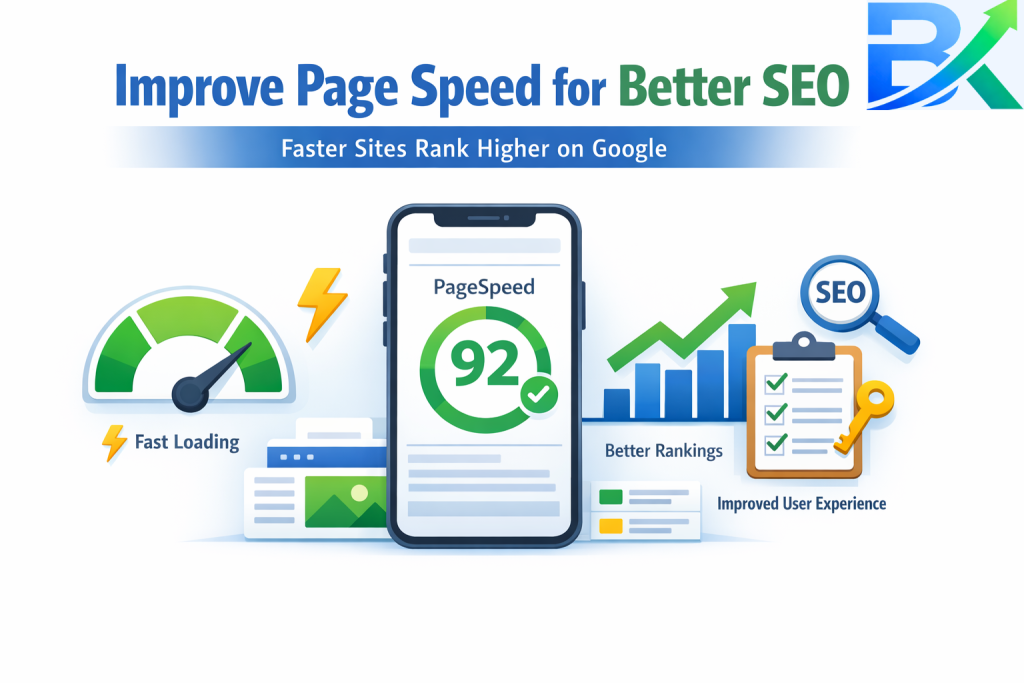
I learned this lesson painfully. I had written a fantastic post—probably one of my best. I shared it on social media, and people were clicking, but they were leaving immediately. When I checked my analytics, I saw my page load time was over 6 seconds.
In today’s fast‑paced internet, if your page takes more than 3 seconds to load, you’ll lose nearly half your visitors. Google also uses page speed as a ranking factor, especially for mobile searches. If you’re serious about how to write SEO friendly blog posts, you must pay attention to speed.
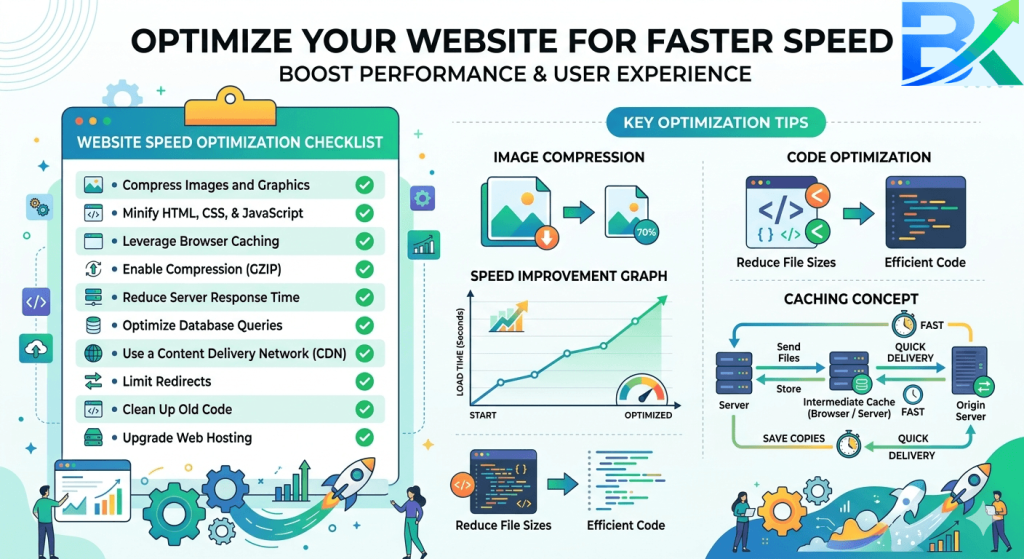
Simple fixes for beginners:
- Use a caching plugin (I use WP Rocket, but there are free options like W3 Total Cache).
- Compress images (as mentioned in Tip 6).
- Choose a reliable hosting provider. I switched from cheap shared hosting to a faster host, and my load time dropped from 4 seconds to under 2 seconds.
- Minimize the use of heavy plugins—only keep what you really need.
I use Google PageSpeed Insights to test my pages. It gives you a score out of 100 and tells you exactly what to fix. When I started paying attention to those recommendations, my rankings improved noticeably.
SEO Friendly Blog Post Checklist
Here’s a simple checklist I run through before I hit publish. If you follow this, you’ll master how to write SEO friendly blog posts in no time:
| Element | Action |
|---|---|
| Keyword | Used in first 100 words, in at least one H2, and naturally throughout (8–12 times). |
| Title | Includes number, power word, sentiment word, focus keyword, and benefit. |
| Meta Description | Under 160 characters, includes keyword, and has a compelling CTA. |
| URL | Short, clean, and includes the focus keyword (e.g., /how-to-write-seo-friendly-blog-posts). |
| Headings | H1 only once; H2s for main sections; H3s for subsections. |
| Internal Links | 3–5 links to relevant older posts. |
| Images | Compressed; descriptive file names; ALT text with keyword where natural. |
| Mobile‑Friendly | Test on a smartphone—text should be readable without zooming. |
| Readability | Short paragraphs, bullet points, simple language. |
Common Mistakes I Made (So You Don’t Have To)
When I was learning how to write SEO friendly blog posts, I made a ton of mistakes. Here are the ones that hurt me the most—and how you can avoid them.
- Keyword stuffing. I used to repeat my keyword 20+ times in a post, thinking it would help. It made my writing sound unnatural, and Google actually penalized me. Now I use my keyword only where it fits naturally.
- Ignoring mobile users. For the first year, I only checked my site on my laptop. When I finally looked at my analytics, I realized over 60% of my traffic was mobile—and my site looked terrible on phones. Fixing this instantly improved my rankings.
- Not using internal links. I was so focused on getting external backlinks that I forgot to link my own content. Once I started interlinking, my older posts started ranking again.
- Forgetting about ALT text. I lost image traffic for months because I was lazy. Now I treat ALT text as an essential part of my SEO checklist.
- Writing for Google instead of people. I wrote robotic, keyword‑dense content. It didn’t engage anyone. When I shifted to writing in a conversational style, my time‑on‑page doubled.
Final Thoughts + Action Steps
If there’s one thing you take away from this guide, let it be this: learning how to write SEO friendly blog posts is not about tricking Google—it’s about creating valuable, easy-to-read, and fast-loading content that truly helps your audience. When you focus on quality and user experience, higher rankings will naturally follow.
I know how overwhelming it can feel when you’re just starting out. There’s too much information, and it’s easy to get stuck without taking action. But the truth is, you don’t need to do everything at once. Start small, stay consistent, and improve step by step.
Learn more about on-page SEO for beginners in this detailed guide:https://bigyankhadkacom.com/on-page-seo-for-beginners/
Here are 3 simple but powerful action steps you can take right now:
- Optimize one old blog post by applying the SEO checklist. Improve your title, add internal links, and update your images with proper ALT text. This alone can boost your traffic quickly.
- Test your page speed using Google PageSpeed Insights. If your site is slow, install a caching plugin and compress your images. A faster website improves both user experience and rankings.
- Focus on search intent for your next post. Before writing, analyze what’s already ranking for your target keyword. Then create content that is more helpful, more detailed, and better structured.
Start applying these steps today, and you’ll be one step closer to mastering how to write SEO friendly blog posts and growing your traffic faster than ever.
You already have the knowledge—now it’s time to take action. Start applying these proven strategies on how to write SEO friendly blog posts today, and you’ll begin to see your traffic grow. If I could do it, you can too.
To go even deeper, I highly recommend checking out these trusted resources:
Google’s SEO Starter Guide: https://developers.google.com/search/docs/fundamentals/seo-starter-guide
Moz Beginner’s Guide to SEO: https://moz.com/beginners-guide-to-seo
These guides provide powerful insights that helped me understand how search engines work and improve my SEO strategy over time. Keep learning, stay consistent, and keep optimizing—your results will follow.


Pingback: How to Optimize Titles and Meta Descriptions: 7 Powerful & Easy Ways to Boost CTR