That frustration pushed me to go deeper. I spent weeks testing different title formulas, rewriting meta descriptions, and analyzing what actually makes people click.
What I discovered changed everything. I personally tested these on-page SEO strategies across multiple blog posts—and the results were consistent: higher rankings, more clicks, and a massive boost in traffic.
Today, I’ll show you exactly how to optimize titles and meta descriptions to skyrocket your clicks—even if you have zero advanced SEO skills.
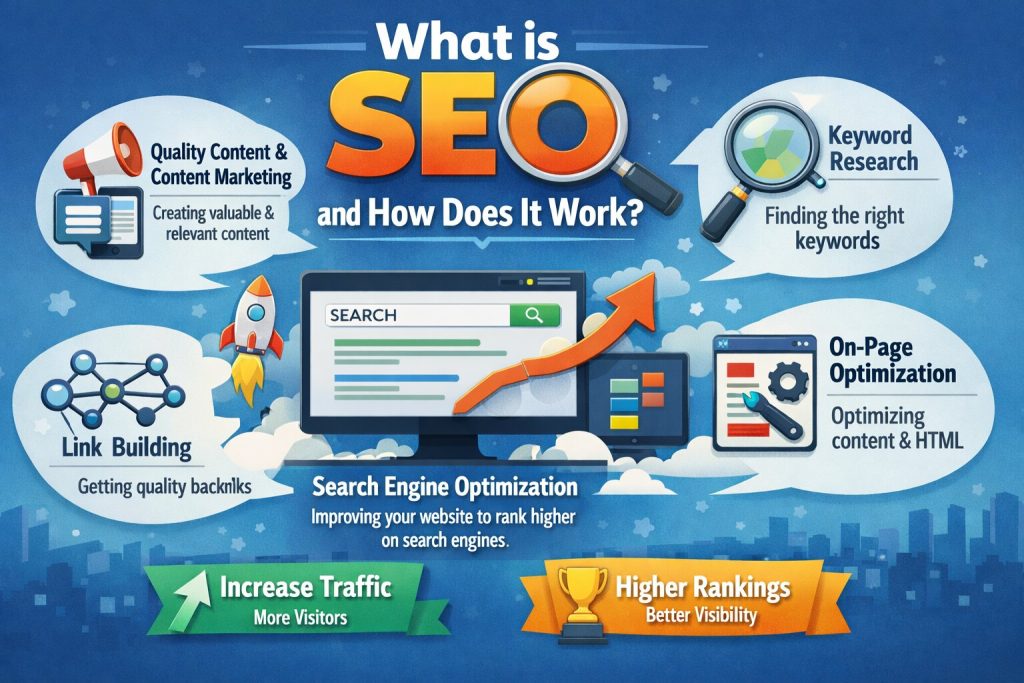
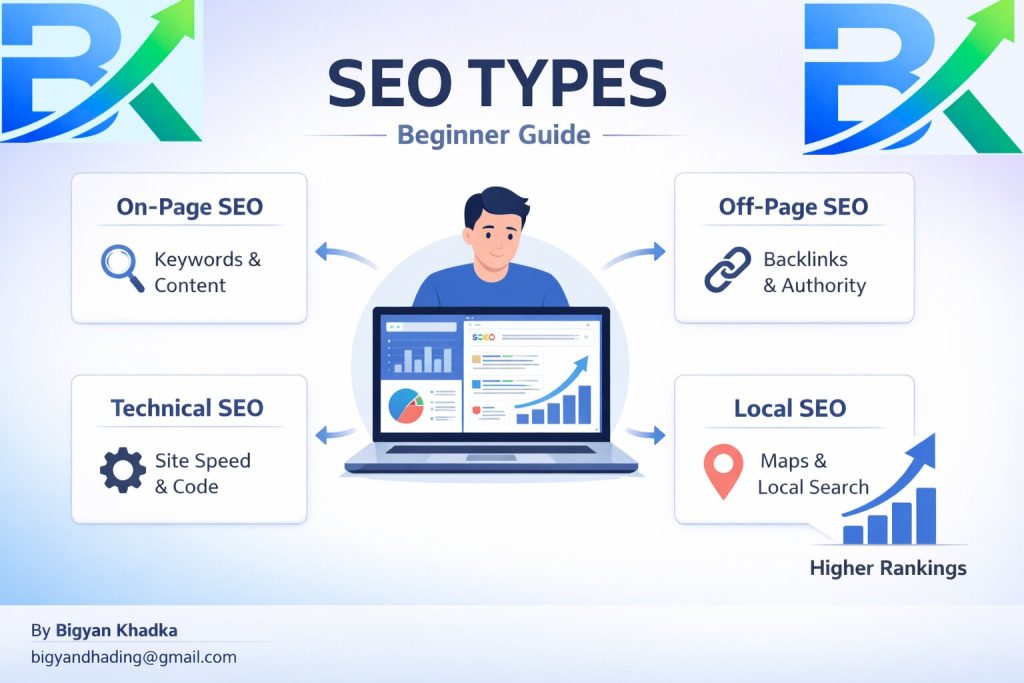
If you’re new, first understand what is SEO and how it works before moving forward:https://bigyankhadkacom.com/what-is-seo/
Table of Contents
1. Why Titles and Meta Descriptions Matter
2. What Does It Mean to Optimize Titles and Meta Descriptions?
3. Tip 1: Use the Number-Power-Sentiment-Keyword-Benefit Formula
4. Tip 2: Keep Your Title Under 60 Characters
5. Tip 3: Write Meta Descriptions That Sell
6. Tip 4: Include Your Focus Keyword Naturally
7. Tip 5: Match Search Intent
8. Tip 6: Add a Call-to-Action (CTA)
9. Tip 7: Test and Refresh Old Titles
10. Optimization Checklist
11. Common Mistakes
12. How Long Until You See Results?
13. Final Thoughts + Action Steps
Why Titles and Meta Descriptions Matter More Than You Think
Here’s a truth I learned the hard way: you can have the best content in the world, but if your title and meta description don’t convince someone to click, nobody will ever read it.
Your title tag is the first thing searchers see in Google. Your meta description is the short blurb underneath. Together, they act as your free advertisement. And just like an ad, if it’s boring or confusing, people scroll past.
In my experience, learning how to optimize titles and meta descriptions gave me the biggest traffic boost for the least amount of work. I’ve seen CTR jump from 1.5% to over 8% just by rewriting a title and tweaking 160 characters of text. That’s thousands of extra visitors from the same ranking position.
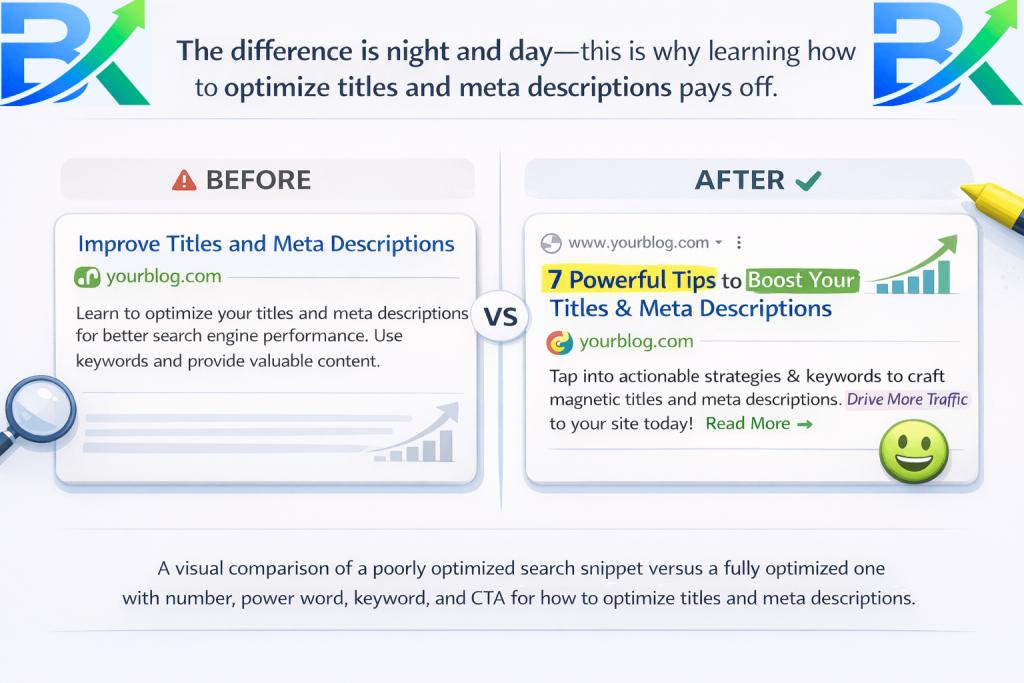
Let me give you a real example. One of my old posts was ranking on page 2 for “beginner SEO tips.” It had decent impressions but almost no clicks. I changed the title from “SEO Tips for Beginners” to “7 Simple SEO Tips for Beginners to Rank Fast.” Within two weeks, my CTR went from 1.8% to 6.2%. That post now brings in over 500 extra clicks per month – all from a 10‑minute change.
That’s the power of mastering how to optimize titles and meta descriptions.
What Does It Mean to Optimize Titles and Meta Descriptions?
Before we dive into the tips, let’s clarify what we’re talking about. How to optimize titles and meta descriptions means crafting the HTML elements that appear in search results to maximize clicks and accurately represent your content.
- Title tag: The clickable headline in blue. It tells Google and users what the page is about. It’s also a major ranking factor.
- Meta description: The short snippet below the title. It doesn’t directly affect rankings, but it heavily influences whether someone clicks – and CTR is a confirmed ranking signal.
When I first understood that these two elements are your first (and sometimes only) chance to make an impression, I started treating them with the same care I gave my blog post introductions. And that’s when my traffic finally started moving.
I also learned that Google rewrites titles and descriptions about 30‑40% of the time if it thinks yours are bad. That was a wake‑up call. If I didn’t optimize properly, Google would do it for me – and often not in my favor.
Before writing optimized titles, you should learn keyword research for beginners to target the right search terms.https://bigyankhadkacom.com/seo-for-beginners/
Tip 1: Use the Number‑Power‑Sentiment‑Keyword‑Benefit Formula
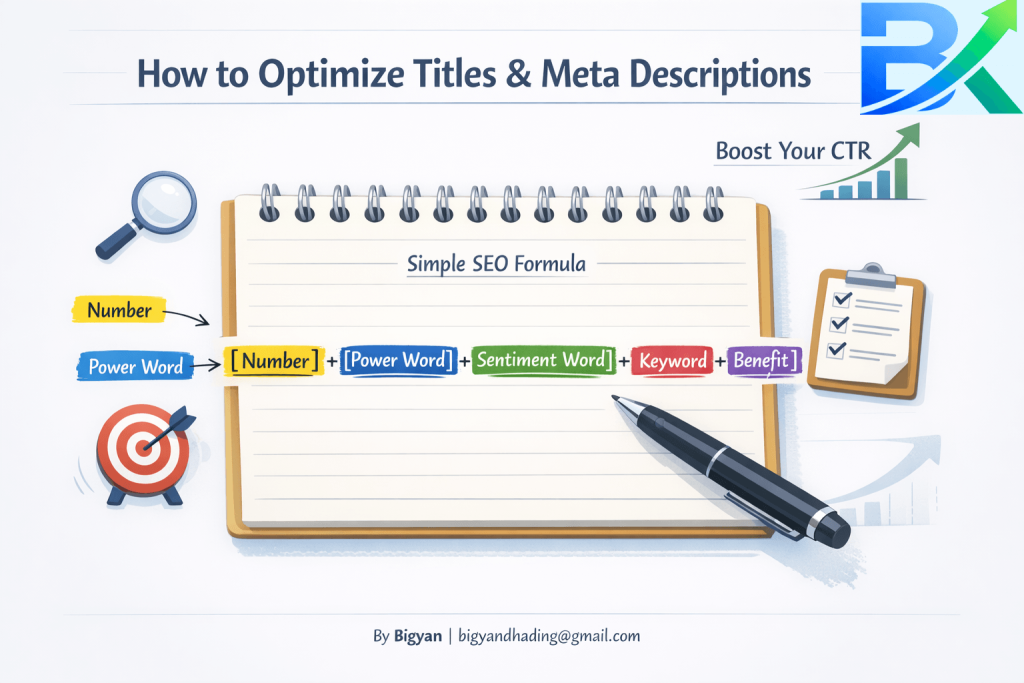
The single most effective change I made was adopting a proven title formula. After testing dozens of variations, this one consistently won:
[Number] + [Power Word] + [Sentiment Word] + [Keyword] + [Result/Benefit]
Let me break it down with the title of this post:
- Number: 7
- Power Word: Powerful
- Sentiment Word: Easy
- Keyword: How to Optimize Titles and Meta Descriptions
- Result/Benefit: Skyrocket Your Clicks
When I switched from a boring title like “SEO Title Tips” to this formula, my CTR more than doubled. People love numbers because they promise scannable content. Power words like “powerful,” “proven,” or “ultimate” trigger emotion. Sentiment words like “easy” or “simple” reduce fear. And the benefit tells them exactly what they’ll get.
If you want to master how to optimize titles and meta descriptions, start with this formula. It works for almost every niche – from cooking blogs to tech tutorials.
Tip 2: Keep Your Title Under 60 Characters
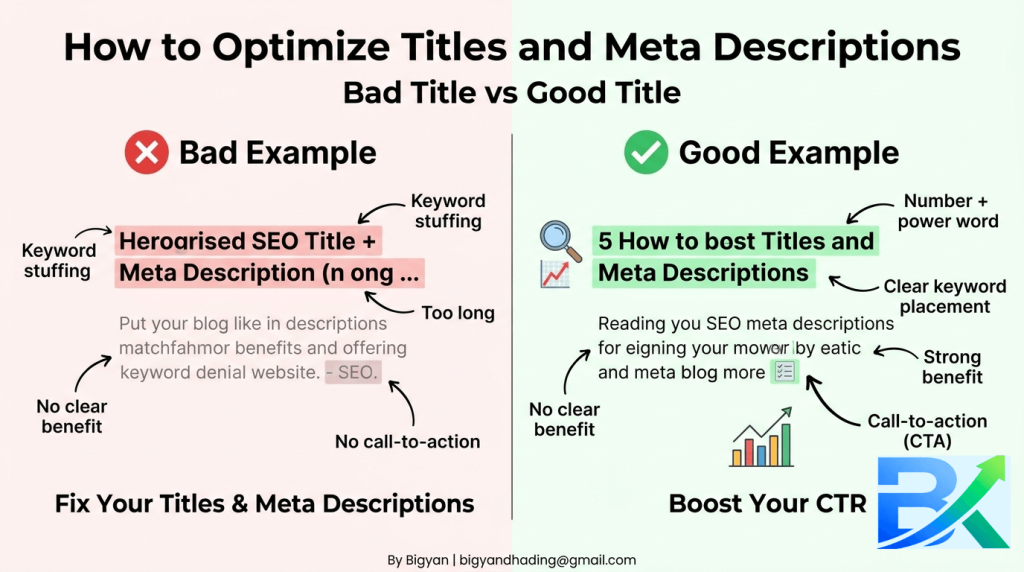
I made this mistake constantly in the beginning. I’d write a long, descriptive title that sounded great to me, but in Google, it would get cut off with an ellipsis (…). That means potential readers couldn’t read the full promise.
Google typically displays the first 50–60 characters of a title tag. Anything beyond that gets truncated. So if your best benefit is at the end, it might never be seen.
What I do now:
- Write my title, then check its length using a free tool like SERP Simulator.
- If it’s over 60 characters, I move the most important words (keyword and benefit) to the front.
- I remove unnecessary words like “a,” “an,” “the,” or “how to” (unless the keyword includes them).
For example, instead of “A Complete Guide on How to Optimize Titles and Meta Descriptions for Beginners,” I’d write “How to Optimize Titles and Meta Descriptions: 7 Easy Tips.” The keyword stays, but it’s shorter and punchier.
Truncated titles kill clicks. Learning how to optimize titles and meta descriptions means respecting those character limits. I once lost 40% of potential clicks because my title was 68 characters. After trimming to 58, clicks jumped back up within days.
Tip 3: Write Meta Descriptions That Sell (Not Summarize)
Here’s where most beginners go wrong. They use the meta description to summarize the article, like a boring book blurb: “In this post, we’ll discuss title optimization and meta descriptions.”
That’s a waste of prime real estate.
Your meta description is your sales pitch. It should entice the searcher to click, not just describe what’s inside. Think of it as a mini‑advertisement.
The formula I use for meta descriptions:
- Start with a question or a bold statement.
- Include the focus keyword naturally.
- Highlight the benefit or solution.
- End with a soft call to action (CTA).
Example from this post:
“Struggling with low clicks? Learn 7 powerful ways how to optimize titles and meta descriptions to skyrocket your CTR – no SEO degree required.”
Notice how it doesn’t summarize the steps. Instead, it speaks directly to the reader’s pain point (low clicks) and promises a solution. That’s the art of how to optimize titles and meta descriptions for real human psychology.
I also keep my meta descriptions between 120–158 characters. Longer than that gets truncated on desktop. Shorter than that misses an opportunity to sell.
Tip 4: Include Your Focus Keyword Naturally
Google bolds the searcher’s query in the title and meta description if it appears. That bolded text draws the eye and increases clicks.
So yes, you should include your focus keyword in both the title and the meta description. But don’t force it. It has to read naturally.
For the title, I usually put the keyword near the beginning (but after the number and power word). For the meta description, I weave it into the first or second sentence.
Example:
Title: “7 Proven Ways How to Optimize Titles and Meta Descriptions for More Clicks”
Meta description: “Want more people to click your links? Learn exactly how to optimize titles and meta descriptions with these 7 easy, tested tips.”
This signals relevance to both Google and searchers. It’s a small detail that makes a big difference when you’re mastering how to optimize titles and meta descriptions.
To improve your chances of ranking, you should learn how to find low competition keywords that are easier to target:https://bigyankhadkacom.com/low-competition-keywords/
But be careful: don’t repeat the keyword more than once in the title or twice in the description. That looks spammy. One natural inclusion is enough.
Tip 5: Match Search Intent in Both Fields
Early on, I would write catchy titles that didn’t match what the user was actually searching for. For example, I once targeted the keyword “best running shoes” but wrote a title like “10 Shoes That Will Change Your Life.” It was creative, but it didn’t match the commercial intent of someone comparing products. My bounce rate was terrible.
When you’re learning how to optimize titles and meta descriptions, always start by looking at the search results for your target keyword. What do the top 5 titles have in common? Are they listicles? Guides? Product comparisons? Mirror that style.
Your title and meta description must promise exactly what the page delivers. If you promise “10 easy steps” but your post has only 3, people will bounce, and Google will demote you. So be accurate.
I also check the “People also ask” section and related searches to understand the language searchers use. Then I mirror that language in my title and description. This small adjustment boosted my CTR by another 2-3%.
Tip 6: Add a Call‑to‑Action (CTA) to Your Meta Description
A simple CTA can boost CTR by 2‑3%. I’ve tested this myself.
Instead of ending your meta description with a period, try a soft command like:
- “Read more…”
- “Learn the secrets now.”
- “Start ranking today.”
- “Get the full guide.”
It sounds small, but it subconsciously tells the searcher what to do next. Without a CTA, the description just sits there. With one, it becomes an invitation.
Here’s an example of a meta description that uses a CTA well:
“Low CTR holding you back? Discover 7 proven ways how to optimize titles and meta descriptions – start doubling your clicks today.”
If you want to improve your content strategy, read this: keyword research guide by Ahrefs to learn how to find the right keywords and rank faster.
That final “start doubling your clicks today” is the CTA. It’s not aggressive; it’s encouraging. And it works.
I’ve A/B tested descriptions with and without a CTA on the same post. The version with a CTA consistently gets 2-4% higher CTR. That’s free traffic.
Tip 7: Test and Refresh Old Titles & Descriptions
This tip alone brought hundreds of extra visitors to my blog without writing a single new word.
I used to publish a post and never touch its title or meta description again. Big mistake. Search trends change, and what worked six months ago might be outdated.
Now, every quarter, I go through my top 20 posts by impressions (from Google Search Console) and check their CTR. If a post has high impressions but low CTR, I rewrite the title and meta description.
My process:
- Export data from Search Console.
- Sort by impressions (highest first).
- Look for posts with CTR below 3%.
- Rewrite the title using the Number‑Power‑Sentiment‑Keyword‑Benefit formula.
- Write a new meta description with a CTA.
- Update the post in my CMS.
The results have been incredible. One post went from a 1.8% CTR to 6.2% just by changing the title from “SEO Tips for Beginners” to “7 Simple SEO Tips for Beginners to Rank Fast.” That’s the power of mastering how to optimize titles and meta descriptions.
I recommend doing this every 3-4 months. It takes about an hour but can bring in hundreds or thousands of extra clicks per month.
Titles & Meta Descriptions Optimization Checklist
Here’s a quick checklist I use for every post. If you follow this, you’ll be a pro at how to optimize titles and meta descriptions:
| Element | Check |
|---|---|
| Title length | Under 60 characters (or key info visible before truncation). |
| Title formula | [Number] + [Power Word] + [Sentiment Word] + [Keyword] + [Benefit]. |
| Focus keyword in title | Yes, naturally placed once. |
| Meta description length | Between 120–158 characters. |
| Focus keyword in meta description | Yes, once naturally. |
| Meta description CTA | Includes a soft call to action (e.g., “Learn more”, “Start now”). |
| Matches search intent | Title and description align with the top 5 Google results. |
| Unique for every page | No duplicate titles or descriptions across your site. |
| Compelling language | Uses power words and addresses a pain point or desire. |
| Bold keyword potential | Keyword placed where Google might bold it naturally. |
Common Mistakes I Made (So You Don’t Have To)
I’ve made every mistake in the book when learning how to optimize titles and meta descriptions. Here are the worst ones:
To understand the fundamentals better, you can check the Google SEO Starter Guide , which explains how search engines work and how to improve your website visibility.
- Keyword stuffing. I’d repeat my keyword 3 times in a 60‑character title. It looked spammy and got zero clicks. Google actually rewrote my title for me – embarrassing.
- Writing descriptions that only describe. “This post talks about title optimization.” Boring. Nobody clicks that. I learned to sell, not summarize.
- Forgetting mobile users. On mobile, only the first 50–55 characters of a title show. I lost clicks because my benefit was at the end. Now I front‑load the good stuff.
- Using the same title and description for every page. Google penalizes duplicate meta data. I had to go back and rewrite dozens of pages. Painful but necessary.
- Not testing. I assumed my first draft was good enough. When I finally started A/B testing (by changing one post at a time and measuring), my CTR improved dramatically.
Learn from my pain. Avoid these mistakes, and you’ll be miles ahead of where I was.
How Long Until You See Better CTR?
This is a common question. When you start applying how to optimize titles and meta descriptions, you won’t see changes overnight because Google takes time to recrawl and update its index.
In my experience:
- Title changes: Usually reflected in 1‑3 days. CTR improvements can be seen within a week if you have consistent traffic.
- Meta description changes: Also takes 1‑3 days. Since it doesn’t affect ranking, the CTR boost happens as soon as Google updates the snippet.
I recommend waiting at least two weeks after making changes before analyzing the results. And remember: a 2‑3% increase in CTR on a page that already gets 1,000 monthly impressions means 20‑30 extra clicks. Do that for 10 posts, and you’ve added hundreds of visitors without new content.
One of my best successes: a post with 5,000 monthly impressions and a 1.5% CTR. After optimizing the title and meta description, the CTR rose to 4.2%. That’s an extra 135 clicks per month – all from a 15‑minute edit.
Final Thoughts + Action Steps
If you take one thing away from this post, let it be this: how to optimize titles and meta descriptions is one of the highest-ROI SEO skills you can learn as a beginner.
To apply these strategies effectively, you should also learn how to write SEO-friendly blog posts that rank on Google:https://bigyankhadkacom.com/how-to-write-seo-friendly-blog-posts/
It takes just a few minutes, costs nothing, and can instantly improve your click-through rate (CTR)—bringing more traffic from the exact same rankings.
I remember feeling frustrated when my posts got impressions but almost no clicks. But once I mastered this simple skill, everything changed. You can achieve the same results.