
Hey Friend, Let Me Tell You a Story
Picture this:
It’s 2 AM. I’m sitting on my bed with a cold cup of coffee.
My blog has been live for three months.
I’ve written 22 posts.
And my total traffic from Google?
Zero.
Not one single click.
I felt like a fool. I kept seeing other new bloggers sharing their “first 1,000 visitors” screenshots on Twitter, and I would think — What are they doing that I’m not?
At one point, I even thought about quitting. I told my best friend, “Maybe blogging isn’t for me.”
But then I stopped overthinking. I decided to stop guessing and start learning.
I started reading about easy SEO tips for new bloggers, but most guides were either too technical or too confusing.
So I decided to figure it out my own way.
I tested things. I failed. I learned. And slowly, my traffic started to grow.
That was two years ago.
Today, that same blog gets over 15,000 monthly visitors from Google — all organic, all free traffic, and no magic tricks.
And now, I want to share what actually worked.
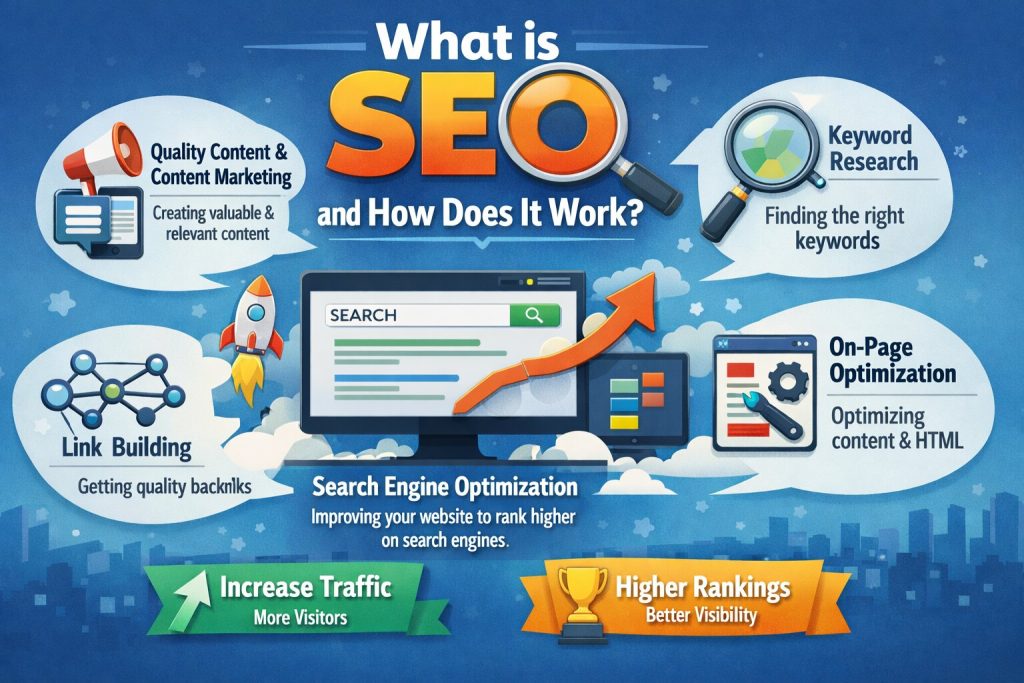
Learn SEO basics step-by-step for beginners
Simple. Practical. Step-by-step.
Let’s begin.
Wait, Why Should You Trust Me?
Before we go further, let me be honest.
I’m not an “SEO guru.” I don’t sell courses or promise overnight success.
I’m just a regular blogger who was once exactly where you are now — confused, frustrated, and stuck at zero traffic.
I’ve personally tested every tip in this guide on my own blog and client sites.
Some worked fast. Some took time. But every single one of them worked.
So think of this as advice from a friend — not a lecture.
Tip #1: Pick the Right Keyword (Beginner’s Gold)
This is where most new bloggers make their first mistake.
I did too.
When I started, I wrote a post called “How to Start a Blog.”
Sounds good, right?
Problem is — millions of people already wrote the same thing. Huge websites with authority.
I had no chance of ranking.
The Simple Keyword Rule
As a beginner, you cannot compete with big keywords.
You need long-tail keywords — small, specific search terms with low competition.
Think of it like fishing.
If you go into the ocean, you compete with everyone.
But if you go to a small pond?
You actually have a chance. https://bigyankhadkacom.com/keyword-research-for-beginners/
Before writing any blog post, it’s important to understand how keywords work.
👉 Learn https://bigyankhadkacom.com/keyword-research-for-beginners/step-by-step to find what people are actually searching on Google.
How to Find Keywords for Free
Go to Google and start typing your topic.
Look at autocomplete suggestions.
For example:
- how to start a blog for free
- how to start a blog on WordPress
- how to start a blog for beginners step by step
These are real searches from real people.
My Real Experience
Instead of targeting “how to start a blog,” I targeted:
👉 “how to start a blog on Bluehost for beginners under $50”
It only had around 150 searches per month.
But I ranked #2.
That one post brought my first 500 visitors.
Your Action Step
Spend 20 minutes today.
Find 3 long-tail keywords in your niche.
Write them down.
Those will become your next blog posts.
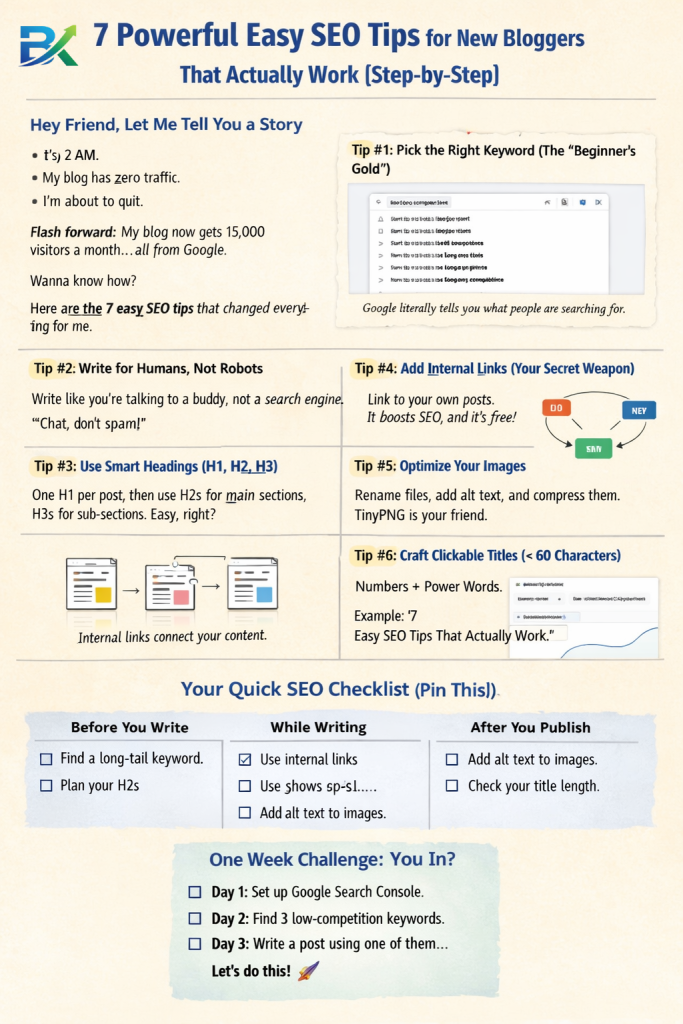
Tip #2: Write for Humans First (Google Second)
I made a terrible mistake in my first few months.
I thought SEO meant stuffing my keyword into every sentence. My posts looked like this:
“If you want easy SEO tips for new bloggers, then these easy SEO tips for new bloggers will help you learn easy SEO tips for new bloggers…”
It was painful to read. And Google hated it. My bounce rate was through the roof because people would land on my page and immediately leave.
The 80/20 Rule of Writing
Here’s what I do now: I write 80% for a human sitting across from me, and 20% for Google.
That means:
- Short sentences (like this one).
- Break up long paragraphs (2‑3 lines max).
- Use “you” and “I” like we’re talking.
- Tell stories. Share mistakes. Be real.
A Simple Test
Before you hit publish, read your post out loud. Seriously. If it sounds robotic or weird, rewrite it.
What worked for me: I started writing like I was explaining something to my younger brother. No fancy words. No complex sentences. Just clear, helpful, friendly advice. My time on page doubled within a month.
Your action step: Take your last blog post and read it aloud. Find three sentences that sound unnatural. Rewrite them like you’re talking to a friend.
Tip #3: Master the “One H1, Smart H2s” Rule
Headings aren’t just for making your post look pretty. They help Google understand your content. And they help readers scan—because let’s be honest, most people don’t read every word.
The Simple Heading Structure
- H1: Your post title. Use it once per page. That’s it.
- H2: Main sections. Use these every time you start a new big idea.
- H3: Sub‑sections inside an H2.
Think of it like a book:
- H1 = Book title
- H2 = Chapter titles
- H3 = Subheadings inside a chapter
Why This Matters for New Bloggers
Google’s crawlers look at your headings to figure out what your post is about. If your headings are clear and logical, you’re helping Google help you.
Plus, readers love scannable content. They can jump to the section they care about.
What worked for me: I used to just bold random sentences as “headings.” Big mistake. Now I plan my H2s before I write anything. It keeps me focused and makes my posts 10x more readable.
Your action step: Open your last post. Are you using H2s correctly? Or are you just bolding text? Fix it. Takes 2 minutes.
Tip #4: Internal Links – Your Secret SEO Superpower
When I first heard about internal linking, I thought, “Why does that matter?”
Then I learned something shocking. Pages with 40‑44 internal links get about 4 times more clicks from Google than pages with 0‑4 links. (Source: study of 23 million internal links.)
That’s not a small difference. That’s massive.
What Are Internal Links?
Internal links are simply links from one page on your site to another page on your site. Like when I say, “check out my on‑page SEO for beginners guide” and link to it.
My Simple Internal Linking Routine
Every time I publish a new post, I do two things:
- Link from the new post to 3‑5 older posts. For example, in this post I’ll link to my previous guide about on‑page SEO.
- Go back to 3‑5 older posts and add a link to this new post. This creates a web of connections.
It takes 10 minutes. And it’s completely free.
What worked for me: I set a recurring calendar reminder every Friday: “Add internal links to this week’s post.” After doing this for 3 months, my average pages per session went from 1.2 to 2.8. Google noticed.
Your action step: Right now, open your 3 most popular posts. Add at least 2 internal links in each one pointing to other relevant posts on your blog.
Tip #5: Image Optimization (Yes, It Matters)
I ignored image optimization for way too long.
I’d snap a photo on my phone, upload it directly to my blog, and hit publish. File sizes were huge. No alt text. No description.
My pages took 6‑7 seconds to load. No one waits that long. They leave. And Google sees that and thinks, “This site is slow. I won’t rank it.”
Three Easy Image Fixes
1. Rename your image file before uploading.
Instead of IMG_4921.jpg, use easy-seo-tips-new-bloggers.jpg. Google reads file names.
2. Write alt text for every image.
Alt text describes the image for visually impaired users and for Google. Keep it short and natural.
Example: “Blogger writing SEO tips on a laptop”
3. Compress your images.
Use TinyPNG or Squoosh (both free). Reduce file size without losing quality. Aim for under 150 KB per image.
What worked for me: I spent one afternoon compressing every image on my top 10 posts. My page load time dropped from 5.2 seconds to 2.1 seconds. Within two weeks, three of those posts climbed into the top 5 for their keywords.
Your action step: Pick one blog post with lots of images. Compress all of them using TinyPNG. Add alt text to each one. Time yourself. I bet it takes less than 10 minutes.
Tip #6: Write a Click‑Worthy Title (The 60‑Character Rule)
You can write the best content in the world. But if your title sucks, no one clicks.
And no clicks = no traffic. Simple.
The Title Formula That Works for Me
[Number] + [Power Word] + [Keyword] + [Benefit]
Examples from this guide:
- “7 Powerful Easy SEO Tips for New Bloggers That Actually Work”
- “How I Doubled My Traffic in 30 Days (Without Spending a Penny)”
Keep It Under 60 Characters
Google usually rewrites titles longer than 60 characters. Don’t give Google the chance to mess with your hard work.
Bad title: “Here Are Some Easy SEO Tips for New Bloggers Who Want to Rank Higher on Google” (82 characters)
Good title: “7 Easy SEO Tips for New Bloggers (Step‑by‑Step)” (48 characters)
See the difference? Short, punchy, clear.
What worked for me: I once changed a post title from “How to Improve Your Blog’s SEO” to “9 Easy SEO Fixes for New Bloggers (Takes 30 Minutes).” Clicks went up 140% in one week. Same content. Better title.
Your action step: Go through your 5 most recent posts. Check their title length. If any are over 60 characters, rewrite them shorter and punchier.
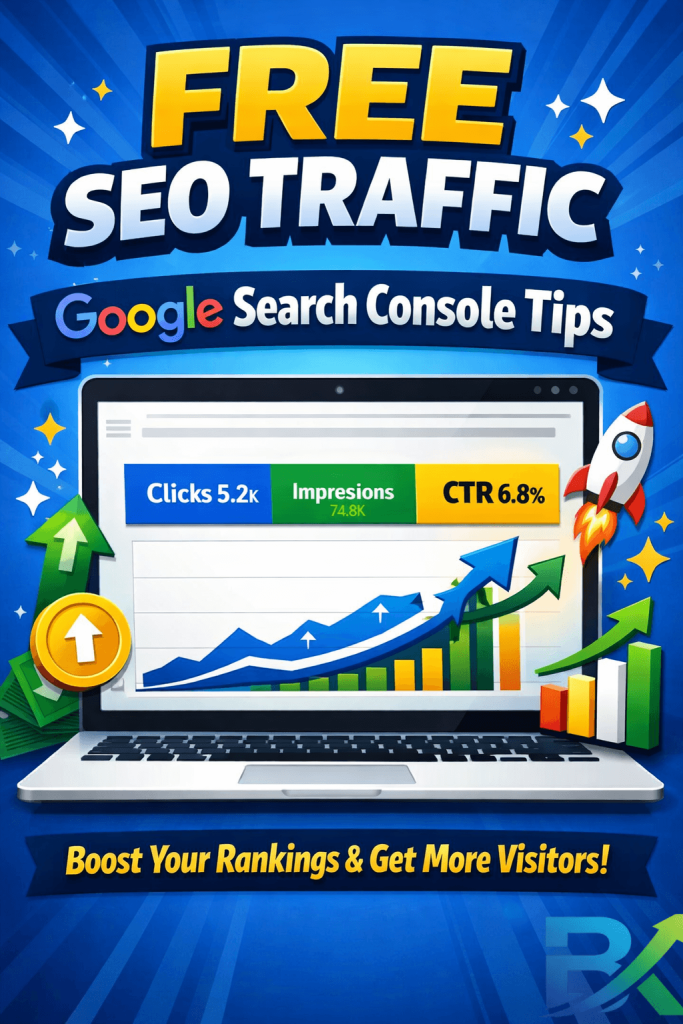
Tip #7: Use Google Search Console (It’s Free and Amazing)
I cannot stress this enough. If you only do one thing from this list, set up Google Search Console (GSC).
It’s free. It’s from Google. And it tells you exactly what keywords people are using to find your site—even if you’re on page 10.
What GSC Shows You (For Free)
- Which keywords you rank for
- How many people see your result (impressions)
- How many click on it (clicks)
- Your average position
- Which pages have errors
My 10‑Minute Weekly GSC Routine
Every Monday morning, I log into GSC and look at the “Performance” report. I sort by “Impressions” (how many times my site showed up) and look for keywords where I have high impressions but low clicks.
Why? Because that means my title or meta description is bad. People see my link but don’t click. So I rewrite it.
I’ve boosted CTR by over 30% on some pages just by spending 5 minutes in GSC.
How to set it up: Go to Google Search Console, add your website, verify ownership (takes 5 minutes). Done.
Your action step: If you haven’t set up GSC yet, do it right now. I’ll wait. Then next Monday, spend 10 minutes exploring the Performance report.
Your Easy SEO Checklist for New Bloggers (Printable)
Here’s a simple checklist. Copy it, print it, stick it on your wall. Use it before every post.
Before Writing:
- Found 1 long‑tail keyword (low competition, 100‑500 searches)
- Checked Google autocomplete for ideas
- Planned my H2s (main sections)
While Writing:
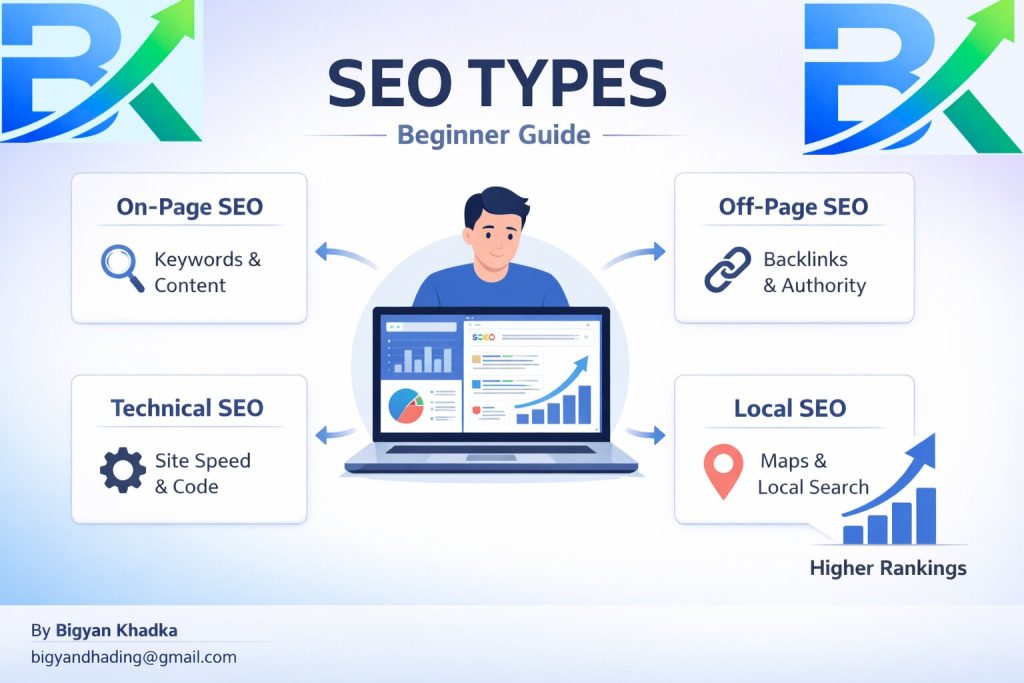
On-Page SEO Checklist for Beginners
🔗 Internal Linking
- Add 3–5 internal links to older posts
- Use natural anchor text (avoid spammy keywords)
- Link related content to build topic authority
🖼️ Image SEO
- Use descriptive file names (e.g.
seo-tips-beginners.jpg) - Add alt text to every image
- Compress images using tools like TinyPNG
- Keep image size optimized for fast loading
📝 Title & Meta Optimization
- Keep title under 60 characters
- Write meta description under 160 characters
- Make meta description clear and click-worthy (CTR focused)
🔍 Technical SEO Steps
- Submit post to Google Search Console
- Check indexing status after publishing
- Ensure page is mobile-friendly
👉 https://bigyankhadkacom.com/on-page-seo-for-beginners/
Common Mistakes I Made (So You Don’t Have To)
Mistake #1: Targeting Keywords That Are Too Hard
I wasted 4 months writing about “digital marketing.” Never ranked.
Fix: Target long‑tail keywords with low competition. Think like a beginner.
Mistake #2: Writing for Google, Not Humans
My old posts read like robots wrote them. Keyword every other sentence. Painful.
Fix: Write like you talk. Read out loud. If it sounds weird, change it.
Mistake #3: Ignoring Internal Links
I thought backlinks were the only links that mattered. Wrong.
Fix: Add internal links to every post. It takes 10 minutes and works every time.
Mistake #4: Uploading Huge Images
My site was so slow. I had no idea images were the problem.
Fix: Compress every image. Use TinyPNG. Aim for under 150 KB.
How Long Until You See Results? (Real Talk)
Let me be completely honest with you.
SEO is not fast. Anyone who promises “rank #1 in 24 hours” is lying just to sell you something.
If you are using these easy SEO tips for new bloggers, here is what realistic progress actually looks like:
📅 Week 1–2
You set up Google Search Console. You publish your first long-tail keyword post.
👉 No traffic yet — and that is completely normal.
📅 Week 3–4
You start seeing impressions in Google Search Console.
👉 Maybe 10–20 impressions per day
👉 Very low clicks (or sometimes zero clicks)
📅 Month 2
Some of your pages may start appearing on page 2 or 3 of Google.
👉 You might get 1–2 clicks per day
👉 Small but real progress starts here
📅 Month 3
If you stay consistent, things start improving.
👉 You can see real organic traffic
👉 Around 50–100 visitors per day becomes possible
📅 Month 6
This is where SEO starts to compound.
👉 Old posts start ranking better
👉 New posts get indexed faster
👉 Traffic growth becomes more stable and faster
💡 Final Truth
SEO is like planting a tree.
At first, nothing looks happening.
But under the surface, growth is building.
And one day — it suddenly grows fast.
For me, I saw almost nothing for the first 3 months. Then month 4 was a breakthrough. By month 8, I was getting 500+ visitors a day.
The key: Don’t stop. Keep writing. Keep optimizing. The results come slower than you want, but faster than you think.
Final Thoughts (Your 7‑Day Action Plan
Friend, you now have everything you need to start getting traffic from Google.
No paid tools. No shortcuts. No magic tricks.
Just simple, proven steps.
🚀 Your 7-Day Challenge
Don’t overthink it. Just take action — one day at a time.
📅 Day 1
Set up Google Search Console (if you haven’t already).
📅 Day 2
Find 3 long-tail keywords using Google autocomplete.
📅 Day 3
Write a new blog post using one keyword.
👉 Use short paragraphs and clear H2 headings.
📅 Day 4
Add internal links to at least 5 older posts from your new article.
📅 Day 5
Compress all images and add proper alt text.
📅 Day 6
Check your title length.
👉 If it’s over 60 characters, shorten it.
📅 Day 7
Submit your post to Google Search Console.
Then go back and add internal links from older posts to your new one.
💡 Real Truth About SEO
I’ve personally tested every single tip in this guide.
They worked for me.
They’ve worked for other beginners I’ve helped.
And they will work for you too — if you actually do them.
⚡ Final Advice
Don’t just read this and close the tab.
Take one action right now — even a small one.
Open Google Search Console.
Set it up.
Write one keyword.
Just start.
🚀 Your First Click Matters
And when you get your first click from Google…
Come back and celebrate.
Because that’s the moment everything changes.
🌍 Final Message
Now stop learning and start executing.
Google doesn’t reward knowledge — it rewards action.
👉 Your free SEO traffic is waiting for you.
Go build it.
🚀Learn More (Recommended SEO Guide)
👉 https://developers.google.com/search/docs/fundamentals/seo-starter-guide

https://shorturl.fm/JJCpO