Introduction: When I Had $0 for SEO
A few years ago, I started learning SEO without paid tools, and I quickly ran into one big problem.
I had just launched my first real website. The content was solid, the design looked decent, but I had exactly zero dollars for fancy SEO tools like Ahrefs, SEMrush, or Moz Pro.
Everywhere I looked online, experts were showing advanced dashboards filled with keyword data, backlinks, and traffic analytics. It all looked powerful—but also overwhelming.
At that moment, I felt like I was already behind before I even properly started.
It made me question:
“Can I even compete in SEO without these expensive tools?”
I remember thinking:
“How am I supposed to compete if I can’t even afford the tools everyone else is using?”
For a moment, it felt discouraging.
But instead of giving up, I made a decision — I would learn SEO using only free tools, Google itself, and pure trial and error.
So I got stubborn. I started testing, learning, failing, and improving step by step.
And slowly, something changed.
My website started getting traffic from Google. Real visitors. Real clicks. And the surprising part? I didn’t spend a single dollar on SEO software.
That experience taught me something powerful:
Bigyan Khadka is a beginner-friendly SEO content creator who focuses on practical, no-cost strategies to help new bloggers grow on Google. He shares simple, real-world methods that anyone can apply without paid tools or advanced technical skills.
👉 https://bigyankhadkacom.com/google-seo-basics/
👉 You don’t need expensive tools to do SEO — you need the right strategy.
In this guide, I’ll show you the 7 proven ways I used to do SEO without paid tools. These are beginner-friendly, practical, and still work today if you apply them correctly.
Let’s get started.
What Does “SEO Without Paid Tools” Even Mean?
Let’s clear something up first.
When people talk about SEO tools, they usually mean big paid platforms like Ahrefs, SEMrush, Moz, Majestic, and similar tools. These platforms are powerful—no doubt about that. They can show you backlinks, keyword difficulty, competitor analysis, traffic estimates, and a huge amount of data.
But here’s the truth I learned after actually trying SEO myself:
👉 You don’t need paid tools to start ranking on Google.
Free tools, combined with smart and consistent manual strategies, can easily get you around 80% of real SEO results. The remaining advanced 20% is usually for big agencies or competitive industries—and not something beginners need at the start.
Think of it like this:
Paid SEO tools are like a professional kitchen filled with expensive machines, smart gadgets, and automation everywhere.
Free SEO methods are like a simple kitchen with a stove, a knife, and basic ingredients.
Both can make great food—but the result depends on your skill, not the equipment.
And SEO works exactly the same way.
The Mindset Shift: Free Doesn’t Mean Weak
Before jumping into tactics, there’s one important thing you need to understand—your mindset.
When I first started, I honestly believed free SEO methods were weaker. I thought:
“If it’s free, it probably isn’t powerful enough.”
But I was completely wrong.
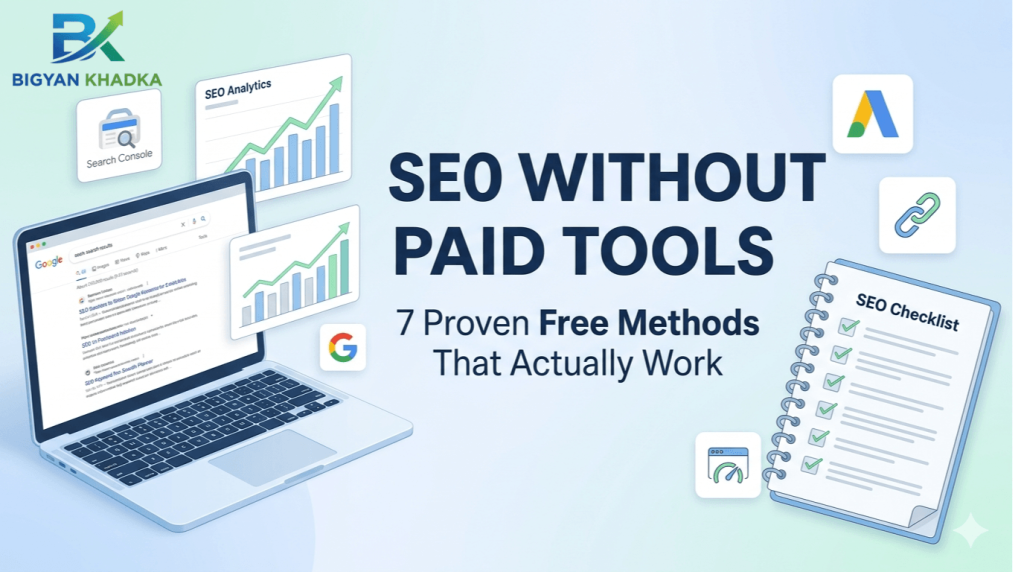
Google itself provides some of the most powerful SEO tools in the world—for free. Tools like Google Search Console, Google Analytics, and Google Keyword Planner are used not just by beginners, but also by professional marketers and agencies.
So the problem was never the tools.
It was how I thought about them.
The real difference in SEO is not budget—it’s execution.
So here’s the mindset that changed everything for me:
👉 Free tools + consistent effort + smart strategy = real SEO results
Once I understood that, everything became simpler.
Now let’s move into the exact 7 methods that worked for me.
1. Google Search Console (Your Secret Weapon)
If you only use one free SEO tool for the rest of your life, make it Google Search Console (GSC).
I ignored GSC for my first three months because it looked intimidating. Big mistake. Once I finally set it up, everything changed.
What GSC Gives You for Free
- Which keywords you’re already ranking for (even if you’re on page 10)
- Your average click‑through rate (CTR) for each keyword
- Which pages have errors that Google can’t crawl
- How many people see your site (impressions) vs. how many click
- Manual actions (if Google penalizes you, you’ll know why)
My Weekly GSC Routine
Every Monday morning, I spend 15 minutes in GSC looking at the “Performance” report. I sort by impressions and look for keywords where I’m getting lots of views but very few clicks.
Why? Because that’s a huge opportunity. If people see my result but don’t click, my title tag or meta description probably sucks. So I rewrite them.
I’ve personally boosted CTR by over 50% on some pages just by tweaking the title based on GSC data. No paid tool needed.
How to set it up: Go to Google Search Console, add your website, and verify ownership (it’s free and takes 5 minutes).
2. Google Keyword Planner (Yes, Even for SEO)
Most people think Google Keyword Planner is only for Google Ads campaigns. That’s wrong.
You can use it for organic SEO too. You just need to know the trick.
The Trick
When you open Keyword Planner, click “Discover new keywords.” Then enter a broad topic related to your niche. For example, if your site is about gardening, type “grow tomatoes.”
Keyword Planner will show you:
- Keyword ideas (including long-tail phrases)
- Average monthly searches
- Competition level (low, medium, high)
👤 About the Author
Bigyan Khadka is a beginner-friendly SEO content creator who focuses on practical, no-cost SEO strategies to help new bloggers grow on Google. He specializes in keyword research methods and actionable SEO techniques that anyone can apply without paid tools or advanced technical skills.
👉 Learn more: https://bigyankhadkacom.com/free-keyword-research-methods-action-plan/
Here’s what I look for: Keywords with low competition and at least 100‑500 searches per month. Those are gold for beginners.
A Real Example
When I was optimizing a post about “indoor herb gardens,” I used Keyword Planner and found “low light herbs for apartment.” Only 200 searches a month. But low competition. I wrote that post, and it’s now one of my top‑traffic pages.
You don’t need a $100/month tool to find these gems. Google gives them to you for free.
3. The “Google Autocomplete” & “People Also Ask” Method
This is my favorite free SEO trick. It costs nothing, takes 10 minutes, and consistently gives me great keyword ideas.
How It Works
Go to Google.com and start typing your main keyword into the search bar. Don’t press enter yet. Just watch what Google suggests.
Those autocomplete suggestions are actual searches that real people type every day. Google is literally telling you what your audience wants to know.
For example, when I type “on‑page SEO,” Google suggests:
- “on‑page SEO checklist”
- “on‑page SEO for beginners”
- “on‑page SEO tools”
- “on‑page SEO best practices”
Each of those can be a blog post, a section in your existing post, or a FAQ.
Then Scroll to “People Also Ask”
After you search for something, scroll down. You’ll see a box titled “People also ask.” These are questions that Google has identified as highly relevant to the searcher’s intent.
Click on a few of them. More questions appear. Keep clicking. You’ll build a content outline for free.
What worked for me: I once built an entire 3,000‑word pillar post using nothing but autocomplete and PAA questions. That post now brings in over 500 visitors a month. Zero paid tools.
4. Free Backlink Analysis (Using Google Itself)
Backlinks are one of the strongest ranking factors in SEO. But here’s the big question:
👉 How do you find competitor backlinks without tools like Ahrefs or SEMrush?
The answer is simple—you use Google itself.
🔍 The Smart Google Search Operator Method
Google used to offer a “link:” operator, but it was removed because it wasn’t very accurate. However, there is still a powerful workaround you can use today.
👉 Try this search:
"yourcompetitor.com" -site:yourcompetitor.com
💡 What this does:
This search shows pages across the internet that mention your competitor’s domain.
And here’s the interesting part:
👉 Many of these mentions are actually backlinks.
So instead of paying for SEO tools, you are using Google itself to discover link opportunities for free.
It’s not perfect—but it works surprisingly well.
🚀 Why this method is powerful
✔ Completely free
✔ No SEO tools needed
✔ Real competitor insights
✔ Easy backlink opportunities
✔ Works for beginners
I’ve personally used this method to find dozens of websites that were open for link building opportunities.
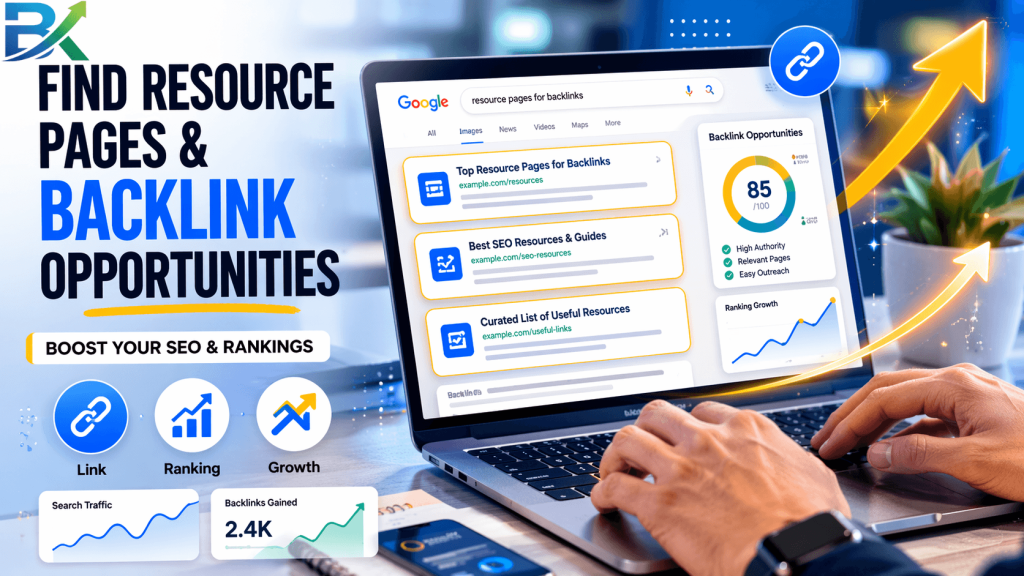
🔥 Even Better Method: “Resource Page” Backlinks
This is where most beginners miss a HUGE opportunity.
Go to Google and search:
👉 “best [your niche] resources”
👉 “top [your topic] blogs”
👉 “useful [your niche] websites”
Example:
best SEO blogs for beginners
💡 Why this works:
These pages are usually curated lists of websites, and they already link out to similar content.
👉 That means your site can also get listed there.
All you need to do is:
- Find these pages
- Contact the website owner
- Ask for inclusion
Simple outreach = powerful backlinks (100% free)
5. Page Speed Testing (Free and Fast)
Page speed is a ranking factor. But you don’t need a paid tool to measure or fix it.
Free Tools That Beat Paid Ones
- Google PageSpeed Insights – Gives you a score (0‑100) for mobile and desktop, plus specific recommendations.
- GTmetrix – Shows you exactly which files are slowing down your site (free plan is generous).
- Lighthouse – Built right into Chrome DevTools (press F12, go to the Lighthouse tab).
My Speed Improvement Routine
I run every new page through PageSpeed Insights before publishing. If the mobile score is below 70, I don’t publish until I fix the issues.
The most common fixes are free:
- Compress images (TinyPNG is free)
- Enable browser caching (free plugins if you’re on WordPress)
- Remove unused CSS/JS (some free plugins help with this too)
I’ve seen pages jump from a 45 to an 85 just by compressing images and installing a free caching plugin. That’s a real ranking boost for $0.
6. Manual Competitor Analysis (Better Than Any Tool)
Paid tools give you automated competitor reports. But manual analysis? It’s slower, but often more insightful.
My 30‑Minute Manual Competitor Audit
- Find a competitor that ranks for a keyword you want. Pick someone with a small‑to‑medium site, not a giant brand.
- Read their top 3 posts carefully. What subheadings do they use? How long are their paragraphs? What questions do they answer that you missed?
- Look at their internal linking. Which pages do they link to frequently? That tells you what they consider important.
- Check their image alt text. Right‑click an image, select “Inspect,” and look for the
altattribute. Learn from what they do.
What I discovered: One competitor was ranking for a keyword I wanted because they had a simple FAQ section at the bottom of their post. I added an FAQ section to mine. Two weeks later, I outranked them.
No paid tool would have told me that. A human eye did.
7. Structured Data (Rich Snippets) Using Free Generators
Structured data (also called schema markup) helps Google understand your content and show rich results like star ratings, recipe times, or FAQ dropdowns.
It sounds technical. But it’s actually easy with free tools.
Free Schema Markup Generators
- TechnicalSEO.com Schema Markup Generator – Select your content type (article, FAQ, recipe, etc.), fill in the blanks, and it gives you code.
- Merlin Schema Generator – Another simple free option.
- Rank Math SEO plugin (free version) – If you’re on WordPress, the free Rank Math plugin adds schema with a few clicks. No coding needed.
Start with FAQ Schema
FAQ schema is the easiest to implement. Just add a few questions and answers at the end of your post, then use a free generator to create the code. Paste it into your page (or use a plugin).
When I added FAQ schema to my top 5 posts, I started seeing rich results in Google within a week. My CTR went up by about 15%. Free.
Your Free SEO Toolkit Summary
Here’s everything you need, all in one place:
🧰 Free SEO Tools Overview
| Purpose | Free Tool |
|---|---|
| Keyword ideas | Google Keyword Planner, Google Autocomplete |
| Ranking data | Google Search Console |
| Backlink opportunities | Google search operators (“domain.com” -site:domain.com) |
| Page speed | Google PageSpeed Insights, GTmetrix |
| Competitor analysis | Your own eyes and browser |
| Structured data | Free schema generators or Rank Math plugin |
| Content ideas | “People Also Ask” boxes |
This free SEO toolkit is enough to start ranking on Google without spending money on paid SEO tools.
Common Mistakes I Made (So You Don’t Have To)
Mistake #1: Overcomplicating Everything
I spent hours trying to find the “perfect” free tool that would do everything. It doesn’t exist. I was just procrastinating.
The fix: Pick two tools (Google Search Console and Keyword Planner) and master them first. Add others slowly.
Mistake #2: Ignoring Data I Already Had
I had Google Search Console set up for months but never looked at it. I was flying blind for no reason.
The fix: Check GSC at least once a week. The answers to your ranking problems are probably already there.
Mistake #3: Thinking Free Means Low Quality
I assumed that because I wasn’t paying, my SEO efforts wouldn’t work. That belief held me back for months.
The fix: Trust the process. Free methods work. Google’s own tools are world‑class. Use them with confidence.
How Long Until You See Results Without Paid Tools?
Same answer as my last guide: SEO takes time. Tools don’t speed that up.
With free methods, you might move a little slower than someone with an enterprise suite. But you’ll still move.
Realistic timeline using only free tools:
- Week 1‑2: Set up Google Search Console and Analytics. Run your first keyword research using Keyword Planner.
- Week 3‑4: Optimize 3‑5 existing posts using the manual methods above.
- Month 2: Start seeing impressions in GSC. Some low‑competition keywords may show up on page 2‑3.
- Month 3‑4: Clicks start coming in. You’ll see which pages are working.
- Month 6+: Consistent traffic growth as you repeat the process.
I didn’t see serious traffic until month 4 using only free tools. But by month 8, I was getting over 1,000 visitors a month. All free.
Final Thoughts (Your 7‑Day Free SEO Challenge)
You now have everything you need to start doing SEO without paid tools. No excuses, no confusion—just action.
But here’s the truth:
👉 Reading SEO won’t grow your traffic. Doing it will.
So instead of overthinking, follow this simple 7-day challenge to actually get results.
🚀 Your 7-Day Free SEO Challenge
Day 1: Set up Google Search Console and submit your sitemap.
This is your SEO foundation.
Day 2: Use Google Keyword Planner and find 5 low-competition keywords in your niche.
Focus on easy opportunities, not competitive keywords.
Day 3: Use Google Autocomplete and “People Also Ask” to build a content outline.
Let Google tell you what people are searching for.
Day 4: Write and publish your first SEO-optimized blog post using that outline.
No paid tools needed—just action.
Day 5: Add FAQ schema using a free schema generator or Rank Math plugin.
Help Google understand your content better.
Day 6: Run Google PageSpeed Insights on your top pages and fix simple issues like image compression and caching.
Improve speed = better rankings.
Day 7: Check Google Search Console. Find keywords with high impressions but low clicks, then rewrite your titles and meta descriptions.
This is where quick SEO wins happen.
👉 Discover more: https://bigyankhadkacom.com/core-seo-ranking-factors/
💡 Final Reality Check
One thing I want you to remember:
👉 SEO without paid tools is not a shortcut—it’s a skill.
I’ve personally tested every method in this guide on multiple websites, and they all work when you stay consistent.
No expensive tools. No shortcuts. Just smart execution.
📈 Bonus Motivation
If you feel stuck, remember this:
- Every expert started with zero traffic
- Every website starts from page 0
- Every ranking comes from small consistent actions
🌍 Final Message
Now stop consuming and start executing.
Your free SEO tools are already enough.
Your opportunity is already there.
The only missing piece is action.
Go build it.
Start today — your free SEO traffic is waiting for you. 🚀