
- The Day a Bad URL Silently Killed My Rankings
- What Is a URL? (Simple Beginner Explanation)
- Why SEO-Friendly URLs Matter More Than You Think
- Beginner Keyword Mindset for Better URLs
- Keyword Research Starts with Your Slug
- Title, Meta Description & URL Alignment
- Internal Linking + Heading Structure Strategy
- Page Speed, Images & URL Optimization
- Step 1: Keep Your URL Short and Simple
- Step 2: Add Your Focus Keyword Naturally
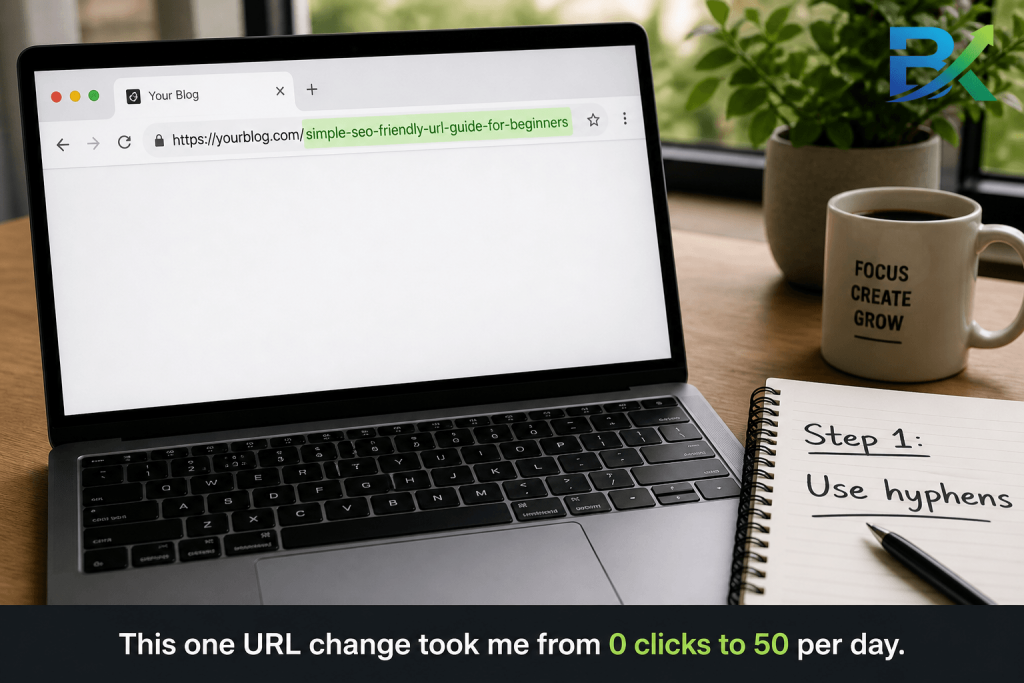
- Step 3: Use Hyphens and Lowercase Letters
- Step 4: Remove Stop Words from URLs
- Step 5: Avoid Dates and Dynamic URLs
- Step 6: Keep Your URL Structure Flat
- Step 7: Use HTTPS + 301 Redirects Properly
- SEO URL Checklist, Common Mistakes & Final Action Plan
The Day a Bad URL Silently Killed My Rankings
One of the biggest beginner SEO mistakes I ever made had nothing to do with bad writing or poor content.
his SEO-friendly URL guide for beginners will help you avoid common mistakes and build clean URL structures from day one.
It was my URLs.
When I first started blogging, I thought URLs were just technical details nobody cared about. So I let WordPress generate whatever it wanted — and the results looked terrible:
bigyankhadkacom.com/?p=2478
Or even worse:
bigyankhadkacom.com/2025/11/23/my-complete-and-very-detailed-seo-tips-guide-for-absolute-beginners-who-want-to-rank/
I published more than 20 posts with messy URLs like these. I spent hours researching, writing, and optimizing my content — but my rankings barely moved.
Then one day, I finally read Google’s official SEO Starter Guide carefully from start to finish. That’s when I realized something important:
Google recommends keeping URLs clean, readable, and easy for both users and search engines to understand.
At that moment, I understood my mistake.
My URLs were too long, confusing, and completely unoptimized.
So I fixed everything:
- Switched my WordPress permalink settings
- Removed dates and random numbers
- Created short keyword-focused slugs
- Added proper 301 redirects
The results didn’t happen overnight. But within a few weeks, rankings that had been stuck finally started improving.
That experience taught me something every beginner should know:
👉 Your URL is not just a web address. It’s the first impression of your page — for Google and for your readers.
This is exactly why I created this SEO-friendly URL guide for beginners — the guide I wish I had when I started blogging.
No confusing jargon. No fluff. Just practical steps that actually help you rank.
Let’s get started.
👉 Just starting out with SEO? Start with the foundation first: https://bigyankhadkacom.com/keyword-research-for-beginners/
The Day a Bad URL Silently Killed My Rankings
One of the biggest SEO mistakes I made as a beginner blogger had nothing to do with bad content.
It was my URLs.
When I started blogging, I didn’t think URLs mattered much for SEO. I let WordPress generate random slugs like:
bigyankhadkacom.com/?p=2478
And sometimes even longer URLs full of dates and unnecessary words.
I spent hours writing content and learning SEO, but my rankings barely improved.
Then one day, I read Google’s official SEO Starter Guide and realized something important:
Google prefers clean, simple, and readable URLs.
That’s when I understood my mistake.
So I changed my permalink settings, removed dates and random numbers, created short keyword-focused slugs, and added proper 301 redirects.
A few weeks later, my rankings slowly started improving.
That experience taught me one important lesson:
Your URL is the first impression of your page — for both Google and your readers.
This simple SEO-friendly URL guide for beginners is the guide I wish I had when I first started blogging. Simple tips, real examples, and no confusing jargon.
Let’s get started.
👉 New to SEO? Start here first:
Keyword Research for Beginners – Step-by-Step Guide

https://— The protocol. The “s” means it’s secure. This matters a lot for SEO and for reader trust.bigyankhadkacom.com— Your domain. Your home on the internet./seo-friendly-url-guide-for-beginners/— The slug. This is the part you control. This is the part we’re going to spend the rest of this guide improving.
The slug is where all the SEO magic happens. Everything else we’ll talk about flows from getting this one part right.
Why Your URL Is More Powerful Than You Think
Imagine seeing these two links on Google:
❌ bigyankhadkacom.com/?p=9841
✅ bigyankhadkacom.com/keyword-research-for-beginners/
Which one would you click?
Most people choose the second one because it instantly explains what the page is about.
That’s the power of a clean URL.
A simple, keyword-focused URL helps:
- Google understand your page faster
- Readers trust your content
- Improve click-through rate (CTR)
More clicks often lead to better rankings over time.
Even small URL improvements can increase organic traffic and make your content look more professional in search results.
That’s why SEO-friendly URLs matter more than most beginners realize.
👉 Want to learn more about rankings and user signals?
Off-Page SEO for Beginners
he Beginner Keyword Mindset for URLs
Most beginners don’t think much about their URLs. They finish writing the article, quickly type a slug, and hit publish.
I used to do the same thing.
But a good URL should clearly describe your page in just a few words.
Before publishing, ask yourself:
“What are the 4–5 words that best explain this page?”
Those words become your slug.
For example:
/seo-friendly-url-guide-beginners/
Short. Clear. Keyword-focused.
Think of your URL like a label on a folder. A clear label tells both readers and Google exactly what’s inside.
Messy URLs confuse people. Clean URLs build trust and improve SEO.
👉 Not sure how to find better keywords?
Long-Tail Keywords for Beginners – Get Traffic Fast
Smart SEO Strategy #1 — Keyword Research Starts with Your Slug
One mistake many beginners make is choosing the keyword after writing the article.
The better approach is:
Keyword first → URL second → Content third.
Your URL slug should come directly from your focus keyword.
For example, if your keyword is:
“SEO-friendly URL guide for beginners”
Your slug can become:
/seo-friendly-url-guide-beginners/
Short, clean, and easy to understand.
I also removed small words like “for” and “a” because they make URLs longer without helping SEO much.
When your keyword, URL, title, and content all match the same topic, Google can understand your page more easily — and that improves your chances of ranking.
Smart SEO Strategy #2 — Align Your URL, Title & Meta Description
Your URL works together with your title and meta description.
When all three match the same topic, Google understands your page more clearly.
Example:
- Focus Keyword: seo-friendly-url-guide-for-beginners
- URL:
/seo-friendly-url-guide-beginners/ - Title: Simple SEO-Friendly URL Guide for Beginners
- Meta Description: A simple guide to creating clean SEO-friendly URLs that rank better on Google.
This alignment improves both SEO and click-through rate (CTR).
Smart SEO Strategy #3 — Match Search Intent
Your URL should match the type of content readers expect.
For example:
/seo-friendly-url-guide-beginners/
This clearly sounds like a beginner-friendly guide.
So your content should include:
- Simple explanations
- Step-by-step tips
- Real examples
If readers click and don’t find what they expected, they leave quickly — and that can hurt rankings.
Your URL is a promise. Your content should deliver on it.
Smart SEO Strategy #4 — Internal Linking + Headings Matter
A clean URL also helps with internal linking.
When I mention keyword research or off-page SEO in my articles, I naturally link to related posts. This helps Google crawl my site faster and understand the connection between pages.
Good heading structure matters too:
- H1 → Main topic
- H2 → Main sections
- H3 → Smaller subtopics
When your headings and URL focus on the same keyword theme, your content becomes easier for Google to understand.
Smart SEO Strategy #5 — Page Speed + Image Optimization
Clean URLs also help create a better site structure, which improves crawling and performance.
To keep your pages SEO-friendly:
- Compress images before uploading
- Use clear image names like
seo-url-guide.jpg - Add keyword-focused alt text naturally
- Test your site using Google PageSpeed Insights
Small SEO improvements like these may not feel huge at first — but over time, they can make a big difference in rankings and traffic.und over time into real rankings.
Step 1: Keep Your URL Short and Simple
The most important rule in URL optimization is simple: keep it short.
When I first started blogging, I believed longer URLs were better because they looked more descriptive. But that’s not true. In reality, long URLs often hurt performance.
Research shows that click-through rates drop when URLs become too long, and search results often truncate them, making them look messy and unprofessional.
The ideal length is 3 to 5 words in your slug.
❌ /this-is-my-complete-and-very-helpful-guide-to-seo-friendly-urls-for-absolute-beginners-who-want-to-rank-on-google/
✅ /seo-friendly-url-guide-beginners/
Same topic. Two very different results. The shorter version is cleaner, easier to read, and performs better in search.
Step 2: Include Your Focus Keyword
Your focus keyword should naturally appear in your URL — but only once.
Search engines use your URL as an early signal to understand your page topic. A keyword-rich slug helps Google identify your content faster.
For example, if your focus keyword is:
“simple SEO-friendly URL guide for beginners”
Your slug becomes:
/seo-friendly-url-guide-beginners/
It’s short, clear, and aligned with search intent.
No stuffing. No repetition. Just natural keyword placement.
Step 3: Use Hyphens — Never Underscores
This is a small detail, but it makes a big difference.
Hyphens (-) separate words clearly for both users and Google:
❌ /seo_friendly_url_guide/
✅ /seo-friendly-url-guide/
Underscores (_) are not treated the same way — they often combine words into one unclear string like:
seofriendlyurlguide
That reduces readability and weakens SEO signals.
Always use hyphens in your URLs.
ep 4: Always Use Lowercase Letters
Your URL should always be written in lowercase — no capitals, no mixed case.
Here’s why this matters: on some servers, URLs can be case-sensitive. That means:
/SEO-Guide/ and /seo-guide/
can be treated as two completely different pages.
This creates confusion for search engines and can lead to duplicate content issues, where the same page is seen as multiple versions. That weakens your SEO performance.
❌ /Seo-Friendly-URL-Guide/ → Risk of duplication
✅ /seo-friendly-url-guide/ → Clean and consistent
Most systems like WordPress automatically handle this, but it’s still your responsibility to check before publishing.
Always build the lowercase habit.
Step 5: Remove Stop Words
Stop words are common words that don’t add SEO value but make URLs longer.
Examples:
a, an, the, and, or, but, in, on, of, for, to, with
Search engines ignore these in URLs, so keeping them only makes your slug longer and weaker.
Example:
Title:
The Simple SEO-Friendly URL Guide for Beginners: 10 Easy Steps
❌ With stop words:/the-simple-seo-friendly-url-guide-for-beginners-10-easy-steps/
✅ Without stop words:/seo-friendly-url-guide-beginners/
The second version is:
- shorter
- cleaner
- more keyword-focused
- easier to read
That’s exactly what both users and Google prefer.
Step 6: Never Put Dates in Blog URLs
This is a mistake that can quietly hurt your traffic over time.
Many WordPress setups automatically create URLs like this:
❌ bigyankhadkacom.com/2025/11/23/seo-tips-for-beginners/
At first, it seems fine — but there’s a hidden problem.
When users see a date in the URL (like 2023 or 2024), they often assume the content is outdated, even if it’s fully updated. This reduces clicks and trust.
Even worse, your content starts feeling “old” in search results.
Better approach:
❌ With date:/2025/11/23/seo-tips-for-beginners/
✅ Without date:/seo-tips-for-beginners/
Clean, evergreen URLs perform better long-term and stay relevant for years.
Fix in WordPress:
Go to Settings → Permalinks → Post Name
Step 7: Keep Your Folder Structure Flat
Your URL structure should be simple — not deeply nested.
Example of a bad structure:
❌ bigyankhadkacom.com/blog/seo/beginners/on-page/url-guide/
Each “folder level” makes your content harder for search engines to crawl efficiently and harder for users to understand.
Better structure:
✅ bigyankhadkacom.com/seo-friendly-url-guide-beginners/
If you need categories, keep it minimal:
bigyankhadkacom.com/seo/url-guide-beginners/
Rule of thumb:
- 1–2 levels maximum
- avoid deep nesting
- keep URLs close to the root domain
A flat structure improves:
- crawl efficiency
- SEO clarity
- user experience
Step 8: Use HTTPS — It’s Non-Negotiable
If your website is still using http://, fixing that should be your first priority before anything else in SEO.
HTTPS is not just a technical upgrade — it’s a trust signal and a ranking factor confirmed by Google. It tells both users and search engines that your site is secure.
On the other hand, http:// sites often show a “Not Secure” warning in browsers. Most visitors will leave immediately when they see that.
In SEO, trust comes first. And HTTPS is the most basic form of trust you can provide.
Most hosting providers like Hostinger or SiteGround offer free SSL certificates through Let’s Encrypt, usually activated with just one click in the dashboard.
Important tip:
After enabling HTTPS, make sure:
- All internal links use
https:// - Old
http://links are updated or redirected
Mixed content can cause warnings and hurt both SEO and user experience.
Step 9: Avoid Dynamic URLs with Random Numbers
Dynamic URLs are messy, unreadable, and SEO-unfriendly.
Example:
❌ bigyankhadkacom.com/?p=2478&ref=category&session=12bx
These URLs are usually generated automatically by CMS platforms, old WordPress settings, or e-commerce systems.
The problem is simple:
- They don’t describe your content
- They’re hard to remember
- They provide no SEO value
Search engines prefer URLs that clearly explain the page topic.
Fix in WordPress:
Go to Settings → Permalinks → Post Name
This ensures all new posts get clean, readable URLs like:
/seo-friendly-url-guide/
For existing URLs:
If they already have traffic or backlinks, don’t delete them. Instead:
👉 Set up a 301 redirect to the new clean URL
Step 10: Use 301 Redirects When You Change a URL
At some point, you will change a URL — and that’s normal.
Maybe you:
- Clean old posts
- Remove dates
- Improve SEO structure
- Fix a bad slug
But when you change a URL, one rule is critical:
Always use a 301 redirect.
Without it:
- Visitors land on a 404 page
- You lose backlinks
- You lose ranking power
A 301 redirect tells Google:
“This page has permanently moved to a new location.”
And Google transfers most of the old page’s authority to the new one.
Simple WordPress method:
Use the plugin Redirection (John Godley)
Steps:
- Enter old URL
- Enter new URL
- Save
Done.
Real impact:
When I applied 301 redirects properly across old URLs, I noticed something powerful — within a few weeks, my new clean URLs started inheriting rankings from the old ones. Traffic didn’t drop. It improved.
That’s why this SEO-friendly URL guide for beginners focuses on real, practical steps instead of theory.
⭐ Final Note
These three steps are often ignored by beginners, but they are critical for long-term SEO success:
- HTTPS builds trust
- Clean URLs improve structure
- 301 redirects protect your rankings
Together, they make your website stable, professional, and SEO-ready.
🧩 On-Page SEO Checklist for URLs
Use this checklist before publishing every blog post. It ensures your URL is fully optimized for SEO, readability, and indexing.
🧠 Before Writing
[ ] Identified focus keyword
[ ] Planned slug around that keyword (3–5 words)
🔗 Your Slug
[ ] Under 60 characters
[ ] Contains focus keyword naturally
[ ] Uses hyphens to separate words (no underscores)
[ ] All lowercase
[ ] Stop words removed
[ ] No dates included
[ ] No random numbers or query strings
⚙️ Technical Setup
[ ] Site runs on HTTPS
[ ] WordPress permalink set to “Post Name”
[ ] Folder depth is 1–2 levels max
[ ] 301 redirect set if changing an existing URL
🚀 After Publishing
[ ] URL inspected in Google Search Console
[ ] Internal links added from relevant older posts
[ ] Images compressed and optimized
[ ] Alt text added with relevant keyword
⚠️ Common Mistakes I Made (Honest Confessions)
Here are some real mistakes I made early on — mistakes that cost me rankings, traffic, and time.
❌ Mistake #1: Ignoring URLs completely
I used default ?p=123 URLs on my first 20+ posts. I didn’t realize how important structure was. Later, I learned that URLs are a key SEO foundation.
❌ Mistake #2: Using full titles in slugs
I used to paste my entire blog title into the URL. The result was extremely long, messy slugs that performed poorly in search results.
❌ Mistake #3: Adding years in URLs
I thought adding “2025” would help SEO. Instead, it made my content feel outdated by 2026 — even when the information was still accurate.
❌ Mistake #4: Changing URLs without redirects
This was a big one. I changed a URL without setting up a 301 redirect and lost rankings on a post that had been growing for months.
❌ Mistake #5: Using HTTP instead of HTTPS
My first blog ran on HTTP for weeks. That “Not Secure” warning alone reduced trust and click-through rates significantly.
⏳ How Long Before Better URLs Improve Your Rankings?
Here’s a realistic timeline based on SEO behavior and indexing cycles:
| Change | Expected Result |
|---|---|
| New posts with clean URLs | Indexed within 1–4 weeks |
| Switching to Post Name permalinks | Immediate effect for new posts |
| 301 redirects from old URLs | Ranking transfer in 4–8 weeks |
| HTTPS implementation | Re-crawled in 2–4 weeks |
| Removing dates from URLs | CTR improvement in 1–3 months |
⏳ Final Insight
SEO improvements from URL optimization don’t happen instantly.
Technical changes are quick — sometimes just minutes.
But real SEO impact happens gradually as Google:
- re-crawls your pages
- updates indexing
- re-evaluates your site structure
In my experience, noticeable growth started around 6–7 weeks after I cleaned up my URL structure and properly implemented redirects.
At first, nothing changes.
Then slowly — rankings that were stuck begin to rise.
⭐ Key Takeaway
Good URLs don’t bring instant results — they build long-term SEO stability.
Be patient. Be consistent. And let structure compound over time.
🌟 Final Thoughts: Your URL Is Your First Impression
Here’s the key takeaway from this entire guide:
Your URL is the very first impression that Google — and your readers — get of your page.
Before anyone reads your headline, before they see your featured image, and even before they scan your content, they see your URL.
And that first impression matters more than most beginners realize.
A messy URL filled with numbers, dates, or unnecessary words quietly sends the wrong message:
“This page is unorganized.”
But a clean, simple, keyword-focused URL sends a very different message:
“This page is clear, focused, and trustworthy.”
So ask yourself — which impression do you want to give?
The simple SEO-friendly URL guide for beginners is not about advanced technical tricks. It’s about clarity.
- Clear for Google
- Clear for your readers
- Clear about your content value
That’s what good SEO really is.
The best part? You don’t need months to fix this.
You can implement all 10 steps within a week:
- Some changes take just 5 minutes
- Others, like redirects, take a bit more time
- But every single step improves your long-term SEO foundation
I started with absolute beginner mistakes — ?p=123 URLs, long slugs, and no structure at all.
Fixing my URL system was one of the first real SEO wins I experienced. And more importantly, it proved something to me:
👉 Small technical improvements can lead to real ranking growth over time.
So don’t overthink it.
Pick one step from this guide and apply it today — not tomorrow, not “someday.”
Because real SEO progress starts with small, consistent actions.
One clean URL at a time.
💬 Final Note
If this helped you, share it with another blogger who is still using messy auto-generated URLs.
And feel free to drop your questions — I always try to respond and help where I can.

https://shorturl.fm/uRBSL