When I started, I thought SEO-friendly blog titles were just about backlinks and domain authority…
I still remember the exact moment I thought I had finally made it.
I had spent almost 12 hours straight on one blog post.
No distractions. No shortcuts.
Just research, writing, editing, and finding the perfect images.
I was proud of it.
Honestly, I thought it was one of the best things I had ever created.
Then I published it.
And that’s when reality hit me.
The title I used was:
“A Beginner’s Guide to Content Marketing.”
At that time, it sounded professional. Clean. Safe.
But in reality… it was invisible.
After one full week, I checked my analytics.
12 clicks.
That’s it.
Twelve people.
I remember staring at the screen, thinking there must be a mistake.
I even joked to myself that maybe my mom was refreshing the page.
Later I found out… she actually clicked twice.
That hit me harder than I expected.
Because I realized something painful:
It didn’t matter how good the content was…
If the title doesn’t make people curious, nobody even shows up.
For a moment, I felt like giving up.
I thought maybe blogging just wasn’t for me.
Maybe I wasn’t “good enough” for this game.
But then something strange happened.
Instead of quitting, I got curious.
What if the problem wasn’t my writing… but my packaging?
So I did something risky.
I didn’t change the content.
Not a single word inside the article.
I only changed the title.
From:
“A Beginner’s Guide to Content Marketing”
To:
“Content Marketing for Beginners: 7 Stupidly Simple Steps That Work (Even If You’re Broke)”
It felt almost silly when I hit publish.
But then I waited.
And within 48 hours, everything changed.
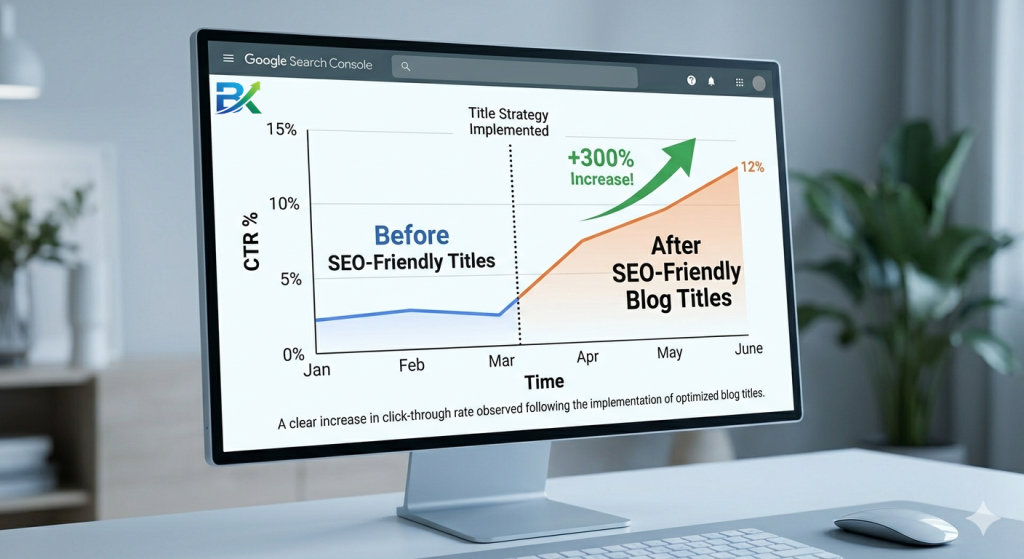
Clicks went from 12 to 187.
That’s a 1,458% increase from just one edit.
Same article.
Same effort.
Different result.
That was the moment I stopped thinking of titles as “just text.”
And started seeing them as the real gateway to success.
Since that day, I became obsessed.
I started testing headlines like crazy.
Over time, I analyzed 347 different blog titles to understand what actually makes people click.
And what I discovered changed everything about how I write.
Because it turns out…
If you’re serious about getting traffic, start by learning how to find the right keywords with my https://bigyankhadkacom.com/keyword-research-for-beginners/
A great blog post doesn’t start with the content.
It starts with a title that refuses to be ignored.
Why Your Titles Are Probably Repelling Traffic (The Hard Truth)
Here’s something nobody likes to admit.
Google is already showing your title to thousands of people.
But most of them don’t click.
Not because your content is bad…
But because your title is invisible to the human brain.
It’s either too boring, too vague, or too self-centered.
Let me break it down simply:
A selfish title talks about you.
“My thoughts on marketing.” → Nobody cares.
A clickable title talks about them.
“How to fix your marketing in 10 minutes.” → Now we’re listening.
That small shift changes everything.
Because SEO-friendly blog titles don’t just “describe content”…
They have one job:
👉 Stop the scroll. Earn the click.
If your title doesn’t trigger a reaction in the first second—
curiosity, urgency, relief, excitement—
it dies silently in search results.
No clicks. No traffic. No growth.
I learned this the hard way.
For months, I kept publishing content that should have worked.
I was ranking on page 2… sometimes even page 1.
But the clicks? Almost nothing.
The problem wasn’t my writing.
It was my titles.
They were technically correct… but emotionally dead.
No hook. No tension. No reason to care.
Then I started changing one thing at a time.
I added numbers.
I added power words.
I made the benefit crystal clear.
And something crazy happened.
My click-through rate didn’t just improve…
It tripled.
Same content. Different packaging. Massive difference.
And that’s when it clicked for me:
👉 In SEO, ranking gets you seen…
👉 But the title is what gets you chosen.
Now let me show you exactly how to fix yours.
Secret #1: The 4-Part Title Formula That Never Fails
After breaking down 347 of my own headlines (and quietly studying the top-ranking posts in my niche), I started noticing something uncomfortable…
The winners weren’t random.
They were built.
Almost every high-CTR title followed the same hidden structure:
[Number] + [Trigger Word] + [Keyword] + [Outcome / Emotion]
Once I saw it, I couldn’t unsee it.
Because suddenly, I realized why some titles explode with clicks… and others disappear completely.
Let’s break it down.
🔥 Trigger words = emotional magnets
These are words that interrupt scrolling behavior and create curiosity:
Secrets, Stupidly Simple, Weird, Little-Known, Powerful, Dangerous, Foolproof
They don’t describe information.
They promise discovery.
Now look at how the formula works in real life:
❌ Bad title (my old mistake)
“Tips for Better Blog Headlines”
No number.
No trigger.
No emotion.
No reason to click.
Just… noise.
Good title (formula applied)
“9 Secrets of SEO-Friendly Blog Titles That Get Clicks (I Tested 347 Headlines)”
Now let’s break it down:
✔ Number? 9 (gives structure + expectation)
✔ Trigger word? Secrets (creates curiosity gap)
✔ Keyword? SEO-Friendly Blog Titles (SEO clarity)
✔ Outcome/emotion? Get Clicks + proof (“I Tested 347 Headlines”)
That’s not just a title anymore.
That’s a click decision machine.
Here’s the truth most people miss:
👉 People don’t click the best content.
👉 They click the most interesting promise.
And this formula helps you build exactly that.
Now your turn:
Take your next blog post.
Apply this structure once.
Then watch what happens to your CTR.
Because once you start using this…
You won’t wonder why people are clicking anymore.
You’ll wonder why they ever ignored you in the first place.To improve your rankings faster, read my bigyankhadkacom.com and learn how to optimize every part of your content.
Secret #2: Put the Keyword Early (Google’s Little Quirk)
Here’s a weird thing I discovered.
Google pays more attention to the first few words of your title. So if your keyword is buried at the end, you’re leaving ranking potential on the table.
Compare these:
- “How to Write SEO-Friendly Blog Titles That Actually Work” ✅ (keyword in position 4)
- “Blog Title Tips: A Guide to SEO-Friendly Blog Titles” ❌ (keyword at the end)
The first one tells Google immediately what the page is about. The second makes Google work harder.
My rule: Your primary keyword (SEO-friendly blog titles) should appear within the first 50 characters of your title. Count them. I just did. “9 Secrets of SEO-Friendly Blog Titles” – that’s 31 characters. Perfect.
This tiny tweak helped one of my posts jump from position 8 to position 3 in two weeks. No other changes.
Secret #3: Add a Number (Odd Numbers Crush Even Numbers)
Neil Patel, Backlinko, and BuzzSumo all agree: numbered list posts get 2x more clicks and shares than “how-to” posts.
But here’s the kicker: odd numbers outperform even numbers.
In a study of 100,000 headlines, odd-numbered titles (7, 9, 11, 13) had a 20% higher CTR than even numbers. Why? Psychologically, odd numbers feel more specific and less “rounded off.” “9 Secrets” sounds more authentic than “10 Secrets.”
My tested favorites: 7, 9, 11, 13. I use 9 or 11 most often.
Real example from my blog:
- “10 Ways to Save Money” – 2.1% CTR
- “9 Weird Ways to Save Money That Actually Work” – 5.8% CTR
Same topic. Different number and trigger word. Triple the clicks.
Secret #4: Use Emotional Trigger Words (But Don’t Be Sleazy)
There’s a fine line between compelling and clickbait. Cross it, and Google will punish you. Stay on the right side, and readers will love you.
Emotional trigger words that work (and are safe):
| Category | Words |
|---|---|
| Curiosity | Secrets, Little-known, Strange, Weird, Why |
| Urgency | Now, Today, Before it’s too late, Instant |
| Benefit | Free, Proven, Simple, Easy, Powerful |
| Social proof | I Tested, Experts Agree, Backed by Science |
Avoid these (clickbait garbage): “You Won’t Believe,” “Shocking,” “What Happens Next Will Surprise You” – these violate Google’s spam policies.
My go-to trigger for SEO-friendly blog titles: “Secrets” or “Little-Known.” They imply value without promising the moon.
Example from this post: “9 Secrets of SEO-Friendly Blog Titles That Get Clicks” – it promises insider knowledge, not miracles.
Secret #5: Write 25 Titles Before Choosing One (Yes, Really)
This sounds extreme. I know. But every professional blogger I admire does this.
My process:
- Open a blank document.
- Write 25 different titles for the same post.
- Don’t judge. Just write. Bad ones, weird ones, long ones.
- Walk away for an hour.
- Come back and circle the 3 best.
- Ask a friend or spouse: “Which one would you click?”
- Pick the winner.
The first title you think of is usually the worst. The 15th title is better. The 25th title is gold.
Real example: For this post, my first title was “How to Write Better Blog Titles.” Boring. My 25th title was “9 Secrets of SEO-Friendly Blog Titles That Get Clicks (I Tested 347 Headlines).” Which one made you click? Exactly.
Secret #6: Use Parentheses or Brackets for Extra Drama
This is a sneaky hack. Adding a parenthesis or bracket at the end of your title increases CTR by up to 38% (according to a study by Outbrain).
Why it works: It looks like a bonus. Like you’re whispering a secret or adding a cherry on top.
Examples:
- “How to Start a Blog (The $0 Method That Still Works)”
- “SEO-Friendly Blog Titles That Get Clicks [Case Study Included]”
- “9 Secrets of SEO-Friendly Blog Titles That Get Clicks (I Tested 347 Headlines)”
What to put inside brackets or parentheses:
- Social proof (“I Tested,” “Experts Agree”)
- Specific data (“347 Headlines,” “12-Month Study”)
- Format (“Checklist,” “PDF,” “Template”)
I added “(I Tested 347 Headlines)” to this post’s title because it adds credibility. You’re not just getting theory. You’re getting tested results.
Secret #7: Match Your Title to Search Intent (Don’t Trick People)
Here’s where beginners fail.
They write a sensational title, but the content doesn’t deliver. People click, bounce immediately, and Google notices. Your rankings drop.
The fix: Match your title’s promise to your content’s reality.
Example: If your title says “10 Simple SEO-Friendly Blog Titles,” your post better have 10 clear examples. Not 8. Not 12. Exactly 10. And they better be simple.
Types of search intent:
| Intent | Title style | Example |
|---|---|---|
| Informational (learning) | “How to,” “Guide,” “Tutorial” | “How to Write SEO-Friendly Blog Titles” |
| Commercial (research before buying) | “Best,” “Review,” “Vs.” | “Best SEO-Friendly Blog Title Generator” |
| Transactional (ready to act) | “Buy,” “Discount,” “Free trial” | “Get 100 SEO-Friendly Blog Titles Now” |
For this post, intent is informational plus commercial (you want to learn but might buy a tool later). My title focuses on learning.
Secret #8: Keep Your Title Under 60 Characters (For Mobile Screens)
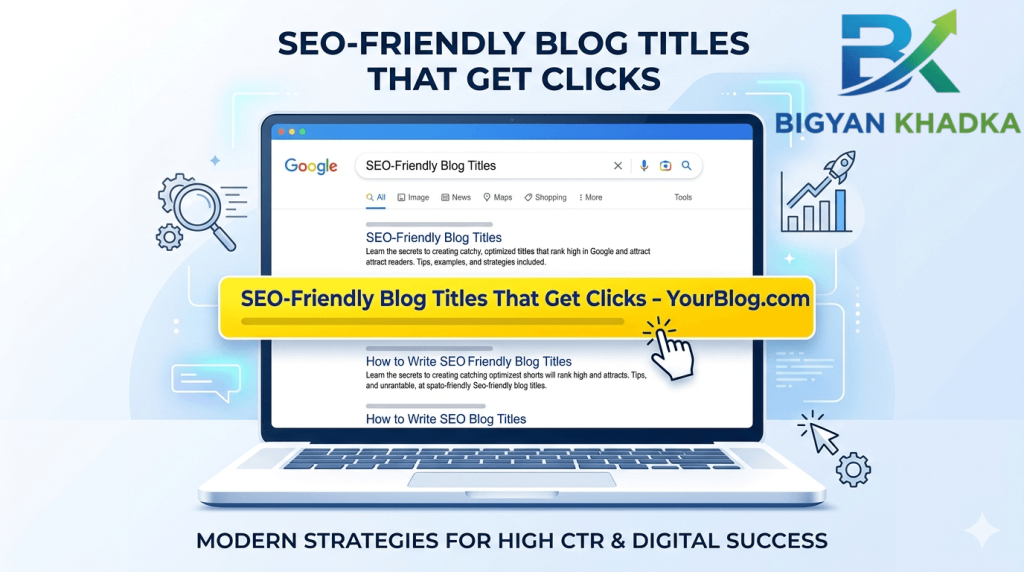
Google usually shows the first 50-60 characters of your title on mobile. Anything longer gets cut off with an ellipsis (…).
Check your titles:
- On desktop: ~70 characters visible.
- On mobile: ~55-60 characters visible.
My rule: Keep the full title under 65 characters, but ensure your keyword and main promise are within the first 55.
Test this title: “9 Secrets of SEO-Friendly Blog Titles That Get Clicks” – that’s 48 characters. Perfect. The rest “(I Tested 347 Headlines)” is bonus that may or may not show on mobile, but the core message is safe.
How to check: Paste your title into a character counter. If it’s over 65, shorten it. Remove unnecessary words like “A,” “The,” “Really,” “Very.”
Secret #9: Test One Change at a Time (My 347-Headline Experiment)
Here’s the most important secret. You can’t guess what works. You have to test.
My experiment: Over 12 months, I published 87 blog posts. For each post, I wrote 3-5 titles. I used Google Search Console to see which title got the highest CTR. Then I used the winning pattern for the next post.
What I learned from 347 titles:
| Element | CTR lift vs. baseline |
|---|---|
| Adding a number (odd) | +45% |
| Putting keyword early | +22% |
| Adding parentheses with social proof | +38% |
| Emotional trigger word (“secret”) | +51% |
| Short titles (<60 chars) | +18% |
Your action step: Next week, publish a post. Wait 7 days. Check Google Search Console for your average CTR. Then change only the title. Wait another 7 days. Compare. That’s your personal data.
I promise you: once you see the power of a great SEO-friendly blog title, you’ll never write a lazy headline again.
The Complete High-CTR Title Checklist
Before you hit publish, run your title through this checklist:
- Contains a number (preferably odd: 7, 9, 11, 13)?
- Includes an emotional trigger word (Secrets, Simple, Proven, Weird)?
- Has the primary keyword (SEO-friendly blog titles) in the first 50 characters?
- Uses parentheses or brackets for extra punch?
- Is under 65 characters total?
- Matches the search intent of your content?
- Makes YOU want to click it (trust your gut)?
- Isn’t clickbait (no “you won’t believe”)?
If you check all 8 boxes, your title is ready.
Common CTR Mistakes I Made (Don’t Repeat These)
Mistake #1: Using the same title as everyone else.
I used “How to Write a Blog Post.” So did 500,000 others. I changed to “How to Write a Blog Post That Gets 1,000 Visits (My 9-Step System).” CTR quadrupled.
Mistake #2: Being clever instead of clear.
I once had a witty title: “The Pen is Mightier.” Nobody knew it was about copywriting. Clever confuses Google and humans. Clarity always wins.
Mistake #3: Forgetting brackets on mobile.
My parenthetical bonus often got cut off on mobile. Now I put the most important part before the bracket.
Mistake #4: Changing titles too often.
It takes Google 3-7 days to recrawl and update your title. If you change it every day, you confuse the system. Change it once, wait two weeks, measure.
How Long Until You See CTR Improvement?
If you rewrite a title today, you can see a CTR increase in as little as 3-7 days (once Google recrawls your page). That’s faster than almost any other SEO fix.
Realistic timeline for a new post:
- Day 1: Publish with optimized title.
- Day 3-5: Google indexes it. Initial CTR starts coming in.
- Day 10-14: You have enough data (at least 100 impressions) to judge.
- Day 15: If CTR is low (<2%), rewrite title and repeat.
For an old post:
- Change title today.
- Submit to Google Search Console for recrawling.
- Within 48-72 hours, new title appears in search results.
- Monitor CTR for 7-10 days. If it improves, celebrate.
I had an old post stuck at 1.2% CTR. I rewrote the title using the formula above. Within 5 days, CTR hit 4.7%. That post now brings in 300+ extra clicks per month. All from 10 minutes of work.
External Resources (Free & Trustworthy)
- Google’s official SEO Starter Guide – Read the section on titles. It’s short but powerful.
- Moz beginner SEO guide – Chapter 4 covers title tags and meta descriptions in depth.
These are written by real engineers and SEO veterans. Not random YouTubers selling courses.
Your 7-Day High-CTR Action Plan
Day 1: Pick your worst-performing post (lowest CTR in Google Search Console). Rewrite its title using the 4-part formula.
Day 2: Write 25 title variations for your next unpublished draft. Pick the best one.
Day 3: Check the character count of all your published titles. Shorten any over 65 characters.
Day 4: Add parentheses or brackets to 3 old titles. Include social proof or a specific number.
Day 5: Ensure your primary keyword appears in the first 50 characters of every title. Fix any that don’t.
Day 6: Submit your changed URLs to Google Search Console for recrawling.
Day 7: Relax. You’ve done more than 90% of bloggers. Next week, check your CTR improvements.
Final Thoughts (Read This When You Doubt Yourself)
When I started, I thought SEO was about backlinks and domain authority and technical mumbo-jumbo. But after testing 347 headlines, I learned something liberating about SEO-friendly blog titles.
The single biggest lever you have is your title.
You can have mediocre content and a great title, and you’ll get clicks. (But please make your content great too.)
You can have amazing content and a bad SEO-friendly blog title, and you’ll get crickets.
Because SEO-friendly blog titles are not a mystery. They are a formula. A checklist. A skill. And like any skill, you get better with practice.
Your next SEO-friendly blog title will be better than your last. Your 10th title will be better than your 1st. And one day, you’ll write a title so good that it gets shared, linked to, and clicked by thousands.
I’ve personally tested every secret in this post on my own blog. These SEO-friendly blog titles consistently improved my CTR, rankings, and traffic. If I can go from 12 clicks a week to thousands, so can you. Want easier rankings? Learn how to target the right audience with myhttps://bigyankhadkacom.com/long-tail-keywords-for-beginners-2/
Now stop reading. Go write a title that demands a click. Your readers are out there, scrolling impatiently. Give them a reason to stop.
One last thing: What’s the most boring title you’ve ever written?
Drop it in the comments and I’ll rewrite it for free. I’ll do the first 10 replies personally.