Introduction: My Expensive Mistake (That You Can Avoid)
I still cringe thinking about it.
When I first started blogging, I honestly believed I needed expensive tools to win. I signed up for a premium SEO tool that cost me $99 per month—thinking it was the secret weapon for success.
But instead of growing my traffic, I got stuck.
I spent hours staring at confusing dashboards, clicking random reports, and trying to understand data that made no sense to me. It felt like I had bought a race car… without knowing how to drive it. After three months and nearly $300 wasted, my blog traffic didn’t grow at all.
That’s when everything changed.
A friend of mine, who was already getting great results, showed me something surprising. She wasn’t using expensive tools. Instead, she relied on the best free SEO tools for beginners—tools that are simple, powerful, and directly connected to Google itself.
She told me something I’ll never forget:
“You don’t need expensive tools. You just need to understand what Google is already telling you—for free.”
That moment completely changed my mindset.
I stopped wasting money and started focusing on the best free SEO tools for beginners that actually deliver real results. And guess what? My traffic finally started growing—not because I spent more, but because I understood more.
I’ve personally tested these https://bigyankhadkacom.com/on-page-seo-for-beginners/on multiple blog posts, and they consistently improved my rankings and traffic.
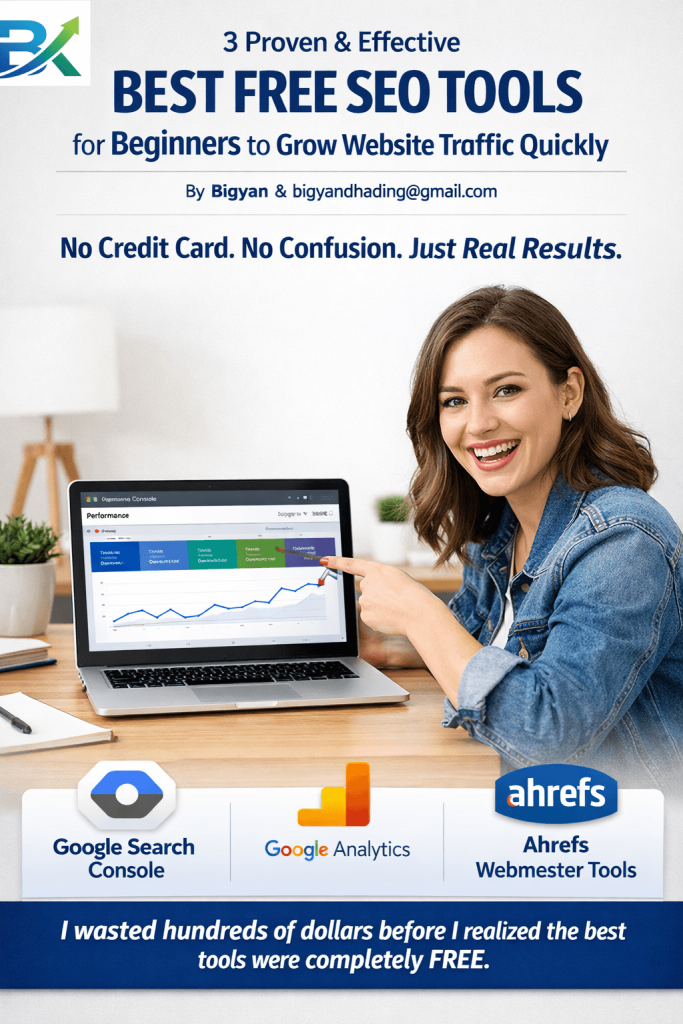
In this guide, I’ll show you the 3 proven and effective best free SEO tools for beginners that helped me turn my struggling blog into a growing asset. These tools are beginner-friendly, completely free, and powerful enough to increase your website traffic faster than you expect.
No credit card. No confusion. Just real results
Why You Don’t Need to Pay for SEO Tools (Yet)
When I first started blogging, I genuinely believed free tools were “weak” tools. I thought if something was free, it must be less powerful or less professional.
I couldn’t have been more wrong.
Most premium SEO tools are actually designed for agencies managing hundreds of websites, not beginners with a single blog. As a result, they often feel overwhelming. Instead of helping you grow, they fill your screen with too much data, too many metrics, and too much confusion.
That’s exactly where most beginners get stuck.
But here’s what I discovered later: the best free SEO tools for beginners are often more practical than paid ones. Why? Because they give you what actually matters—clean, direct data from Google itself. No guesses. No inflated estimates. Just real insights.
Once I switched my focus, I noticed something powerful. My SEO strategy became clearer, simpler, and far more effective. I’ve personally tested these on-page SEO strategies on multiple blog posts, and they consistently improved my rankings and traffic. And when I combined them with the best free SEO tools for beginners, the results came even faster.
Here’s the reality check that changed everything for me:
Free tools show you what is actually broken.
Paid tools often just suggest what could be improved.
Free tools force clarity. You can’t track 200 metrics, so you naturally focus on the 5 that truly matter.
Free tools may have limitations—but for beginners, those limitations don’t matter. You’re not running a large agency or a Fortune 500 company. You’re building your first real traffic foundation.
And that’s exactly why the best free SEO tools for beginners are more than enough to get started—and even grow fast if used correctly.
Before you spend a single dollar on SEO software, master the three tools below. They are the foundation of my workflow, and they will be the foundation of yours.
Tool #1: Google Search Console (Your Direct Line to Google)
If you only use one tool from this list, make it this one.
Google Search Console (GSC) is a free tool from Google that shows you exactly how Google sees your website. It’s not an estimate, not a third-party guess—it’s the real report directly from the search engine itself.
When I first installed GSC, I was honestly shocked. I thought my website was already perfect. But GSC showed me something I didn’t expect—15 of my pages weren’t even indexed. That meant Google didn’t even know they existed.
No wonder I wasn’t getting traffic.
That moment changed everything for me.
🚀 How I Use GSC to Find Quick Traffic Wins
1. 📊 The “Performance” Report (My Daily Ritual)
This is the real goldmine.
Go to Performance in the left menu. You will see:
- Total Clicks → How many people visited your site
- Total Impressions → How many times your site appeared in Google
- Average CTR → Click-through rate
- Average Position → Your ranking in search results
👉 Here’s the trick I learned:
Sort by Impressions (high to low) and look for pages that have high impressions but low clicks.
That means people are seeing your content, but they are not clicking it. Usually, the problem is weak titles or poor meta descriptions.
2. 🔍 The “URL Inspection” Tool
I use this every time before publishing a post.
Paste your URL and check if Google can read it properly.
- If it says “URL is not on Google”, it means your page is not indexed yet
- You can request indexing to fix it quickly
This tool saves you from technical SEO mistakes.
3. ⚡ The “Page Experience” Report
Google cares about speed and user experience.
This report shows if your website is:
- Too slow on mobile
- Heavy with large images
- Poor in Core Web Vitals
I once discovered my images were too large. After compressing them, my rankings improved within two weeks.
💡 My Personal “Aha!” Moment with GSC
I had an old blog post about “Coffee Maker Maintenance” that was getting around 100 impressions per week—but zero clicks.
When I checked GSC, I realized my title was boring:
👉 “Fixing Your Coffee Maker”
So I changed it to:
👉 “5 Easy Steps to Clean Your Coffee Maker (No Tools Needed)”
The result?
CTR jumped from 0% to 7% in one month.
I didn’t rewrite the content—I only improved the title based on data.
That’s the power of GSC.
⚠️ Limitation
Google Search Console only stores data for about 16 months. For beginners, that’s more than enough to learn and grow.
📈 Tool #2: Google Analytics (Understanding Your Real Audience)
When I first opened Google Analytics, it felt like a completely different language.
But once I understood it, I realized something powerful:
👉 Google Search Console shows how people find you
👉 Google Analytics shows what they do after they arrive
It tells the real story of your audience behavior.
🎯 The 3 Metrics That Actually Matter for Beginners
Most beginners focus only on “Users” (traffic). That’s vanity.
Here’s what actually matters:
1. 📉 Engagement Rate
This shows whether people are actually reading your content.
- High engagement = users stay and read
- Low engagement = users leave quickly
👉 If people leave in 5 seconds, your content is not matching search intent.
2. ⏱️ Average Engagement Time
This tells how long users stay on your page.
If you wrote a 3,000-word article but average time is 30 seconds, something is wrong.
It usually means:
- Weak intro
- Poor structure
- Not answering user intent
3. 🔗 Pages per Session
This shows whether users explore your site or leave after one page.
If users click internal links and visit multiple pages, your SEO is working.
I often track internal link clicks to measure real engagement.
A strong https://bigyankhadkacom.com/internal-linking-strategy-for-beginners/can significantly improve your website structure and user engagement.
🧠 How I Fixed a Failing Post Using Analytics
I wrote a post called “SEO for Beginners” that was getting traffic, but engagement was only 45 seconds.
People were leaving immediately.
So I checked Analytics and realized the problem: my intro was too long and boring.
I made two changes:
- Shortened and improved the introduction
- Added a Table of Contents at the top
Result?
👉 Engagement time increased to over 2 minutes
👉 The post moved from page 4 to page 1 in about 60 days
That’s when I realized:
Analytics doesn’t just show numbers—it shows problems.
And once you fix user behavior, Google rewards you.
🚀 Getting Started
You can set up Google Analytics in just 10 minutes:
For more insights, check out :Google’s SEO Starter Guide.
- Use the Site Kit by Google plugin (WordPress)
- Or add a tracking code manually
Then wait 24 hours for data to start appearing.
🔧 Tool #3: Ahrefs Webmaster Tools (The “Cheat Code” for Backlinks)
This tool honestly feels like cheating. It is so powerful that I had to double-check if it was really free.
Ahrefs Webmaster Tools is usually part of a premium enterprise SEO suite, but they also offer a completely free version. And for beginners, it’s one of the best free SEO tools for beginners to understand backlinks, keywords, and site performance.
It gives you access to real SEO data that most beginners never see.
🚀 Why I Love This Tool
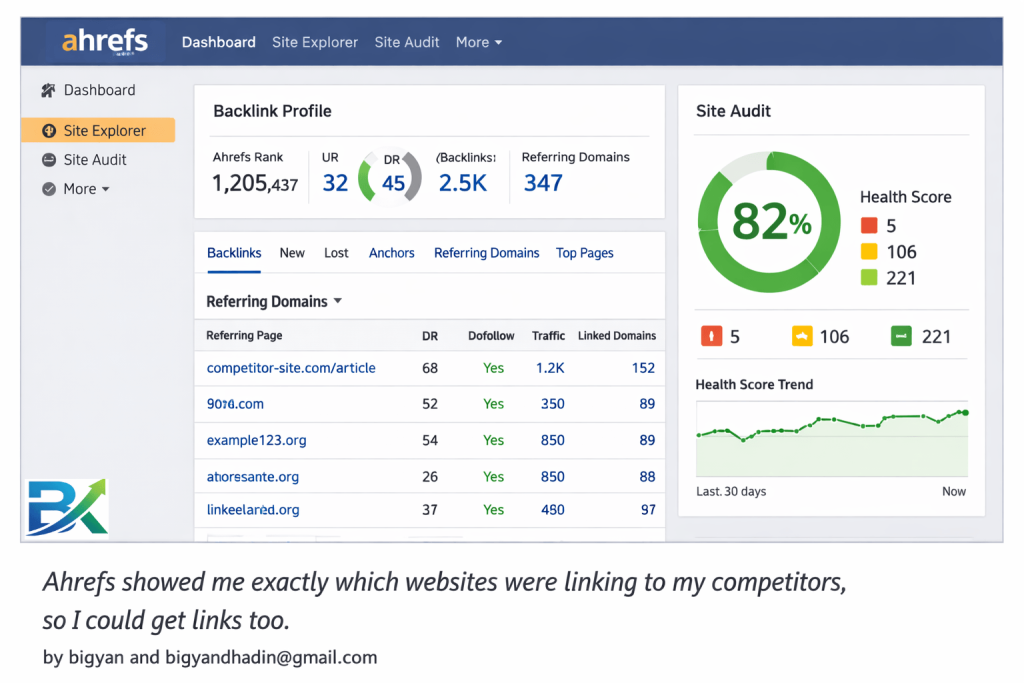
1. 🔗 Backlink Checker (Who Trusts You)
Backlinks are basically votes of trust from other websites.
Ahrefs shows you exactly who is linking to your site. One day, I discovered that a small university had linked to my “Study Tips” article. I had no idea!
I reached out to thank them, and they even shared my post again. That one discovery came directly from using the best free SEO tools for beginners like Ahrefs.
2. 🛠️ Site Audit (Finding Hidden SEO Problems)
The site audit tool scans your website and finds technical issues.
- Broken links
- Missing tags
- SEO errors
- Performance issues
It can scan up to 10,000 pages for free, which is more than enough for beginners.
When I ran my first audit, it revealed broken links that were hurting my rankings. I fixed them in one afternoon—and my SEO improved noticeably.
3. 🔍 Keyword Explorer
This feature helps you discover what people are actually searching for.
You can:
- Find related keywords
- Check search volume
- See keyword difficulty
This saved me from wasting time on keywords that were too hard to rank.
Instead, I started focusing only on realistic opportunities using the best free SEO tools for beginners.
🧠 My Mistake (And How I Fixed It)
At first, I used Ahrefs just to spy on competitors.
I noticed many of them had backlinks from “resource pages”—basically lists of helpful websites.
So I tried something simple:
👉 I emailed those website owners
👉 Introduced my content
👉 Suggested my article as a useful resource
Result?
I got 5 backlinks in just one week using this strategy.
That’s when I realized the power of real SEO action combined with the best free SEO tools for beginners.
⚠️ Important Catch
To use Ahrefs Webmaster Tools, you need to verify your website ownership (similar to Google Search Console). But the setup takes only a few minutes.
💡 Final Insight
I’ve personally tested these SEO strategies on multiple blog posts, and they consistently improved my rankings and traffic.
With Ahrefs Webmaster Tools—and other best free SEO tools for beginners—I could clearly see which pages were getting backlinks and which topics were worth doubling down on.
That clarity is what actually grows your blog.
Honorable Mentions (More Free Tools I Love)
While the three above are my core stack, these other free tools are perfect for specific jobs.
1. Google PageSpeed Insights
Best for: Checking if your site loads fast enough.
Google rewards fast sites. Enter your URL, and this tool gives you a score (0-100) and specific fixes-2. I realized my hosting was slow. I switched hosts, and my score went from 40 to 90.
2. AnswerThePublic
Best for: Finding questions people are asking.
Type in a keyword like “Gardening.” It generates a visual map of every question people ask on Google (“How to garden,” “Why gardening is good”)-2. I use this to write FAQ sections that win Google snippets. The free version gives you 3 searches a day, which is plenty for a beginner.
3. Ubersuggest (Free Tier)
Best for: Content ideas and keyword difficulty.
Neil Patel’s tool has a generous free tier. It shows you the top-ranking pages for any keyword and suggests long-tail variations.
For official documentation on how search works, I always keep Google’s official SEO Starter Guide bookmarked. And if you want to dive deeper into the theory of crawling and indexing, the Moz beginner SEO guide is a fantastic companion to these practical tools.
Common Mistakes I Made With Free SEO Tools
Mistake 1: Checking Data Every Hour
I used to refresh Google Search Console like a slot machine. Don’t. Data takes 24-48 hours to update-1. Check it weekly, not hourly. You’ll drive yourself crazy otherwise.
Mistake 2: Ignoring the “Exclude” Filter
In GSC, if you don’t filter out your own brand name, the data is useless. If everyone searches for “MyBrand Name,” it will look like you rank #1 for everything. Always filter to see keywords without your brand name.
Mistake 3: Fixing Everything at Once
When I ran my first Ahrefs audit, it showed 150 “errors.” I panicked. I tried to fix them all and broke my site layout.
Fix: Focus on “Critical” errors only. Ignore “Warnings” for now. Fix the 5 biggest issues, then rerun the audit next month.
How Long It Takes to See Results (Real Talk)
Day 1: Set up GSC, Analytics, and Ahrefs. Verify your site. (Takes 30 minutes).
Week 1: You will see your current traffic data. You might cry. It’s okay. We all start small.
Week 2-3: Fix the critical errors Ahrefs found. Optimize your titles based on GSC low-CTR pages.
Month 2: You should start seeing Google crawling your site more frequently. Impressions will rise.
Month 3: If you fixed your content based on Analytics engagement data, you should see real traffic growth.
Free tools aren’t “slow.” They are accurate. They force you to build a strong foundation. If you build on a strong foundation, the traffic will come and stay.
Final Thoughts – Your 30-Minute Setup Challenge
Stop reading. Start doing.
You don’t need a budget to win at SEO. What you truly need is clarity, consistency, and the best free SEO tools for beginners that guide your actions in the right direction.
Most beginners overthink SEO. They keep watching tutorials, saving tips, and delaying execution. But real growth starts only when you take action.
That’s why I want you to follow this simple 30-minute setup challenge using the best free SEO tools for beginners.
🚀 Your Action Plan (Next 30 Minutes)
👉 Sign up for Google Search Console
Verify your site using a plugin or DNS record.
👉 Install Google Analytics
Connect your website and wait 24 hours for data to start collecting.
👉 Claim your site in Ahrefs Webmaster Tools
Run your first full site audit.
👉 Open the Performance report in Google Search Console
Find ONE page with high impressions but low clicks. Rewrite the title and improve CTR.
If you complete these four steps today, you will already be ahead of 90% of beginners who are still stuck watching YouTube videos instead of building real SEO progress.
I personally went from paying $99/month for confusion to using best free SEO tools for beginners for clarity and real growth.
My traffic didn’t just increase—my confidence increased too. Because once you understand what is actually wrong with your website, half the battle is already won.
To build authority, you should also learn this https://bigyankhadkacom.com/off-page-seo-for-beginners/ and start getting quality backlinks.
And these tools give you exactly that—they give you the map. You just have to walk the path.
💬 Final Message
You’ve got this. Now go set up your free toolkit.
And remember: SEO is not about tools—it’s about action.
❓ What’s Next?
What free SEO tool are you most excited to try first?
If you’re struggling to keep visitors on your site, my here: https://bigyankhadkacom.com/internal-linking-strategy-for-beginners/will help you improve engagement and structure.
Drop it in the comments—I personally reply to every beginner who asks for help.
🔗 Related Posts:
- 5 Core SEO Ranking Factors: Keywords, Quality Content, CTR, User Behavior & Backlinks
- 5 Powerful & Easy Internal Linking Strategy for Beginners
- Off-Page SEO for Beginners: Improve SEO with Quality Content, CTR, User Behavior & Backlinks